Product tour

Every side of the operation, up close.

Six modules working on the same trip record. Click through the screens behind each one, or press play for a one-minute film.

Shown with a fictional operator, Acme Air. No real passenger, crew or customer data.

01 / Dispatch & scheduling

Quote, book, crew, release, follow.

The dispatcher's day in one place: rate-card quotes, the aircraft calendar, legal-crew assignment, per-leg release checks and live flight following.
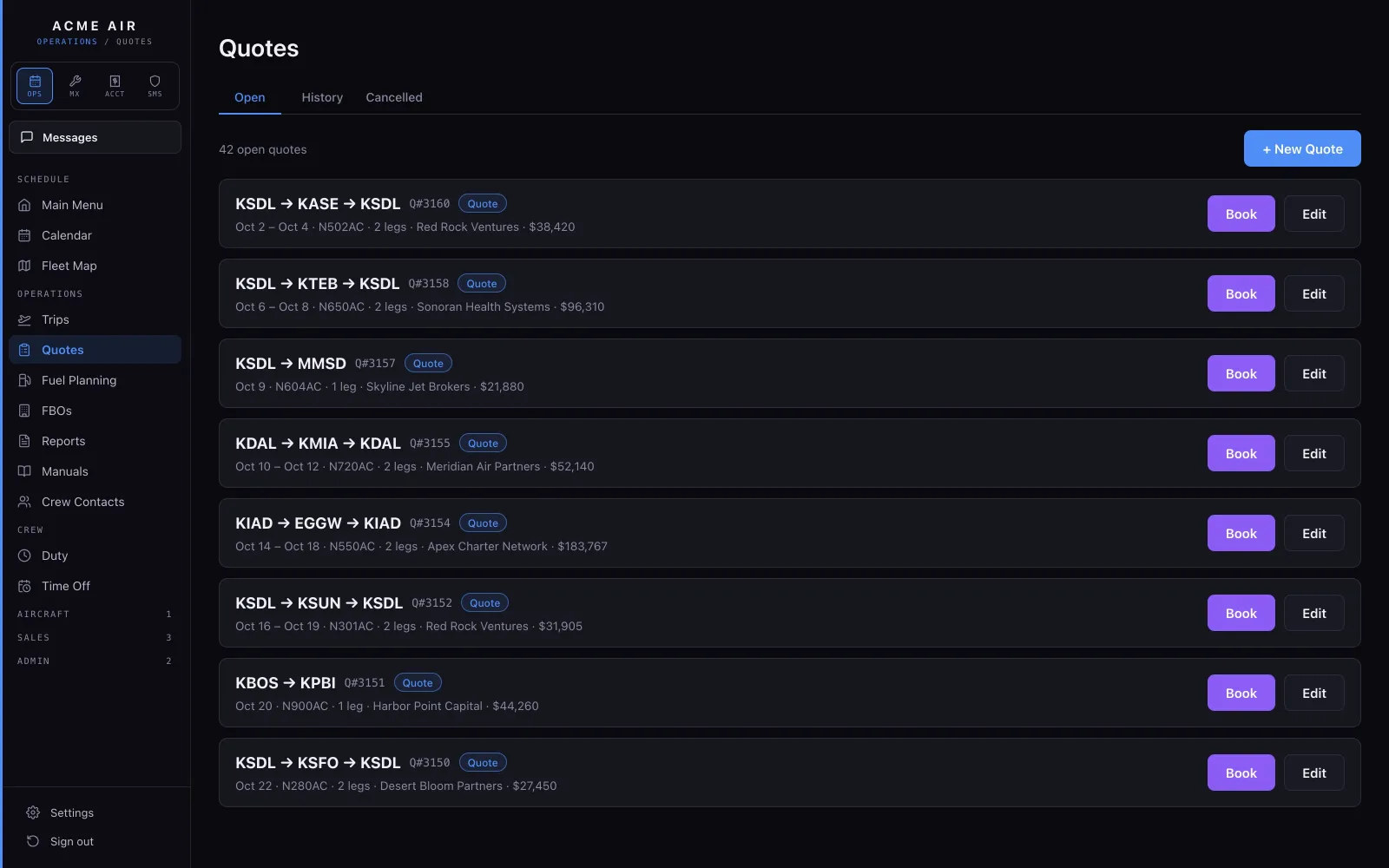
The quotes list: trips from Scottsdale, each with its route, dates, aircraft, client and total, and a Book button.
QuotesEvery quote in one list, from draft to signed. A signed quote becomes a booked trip in one move.
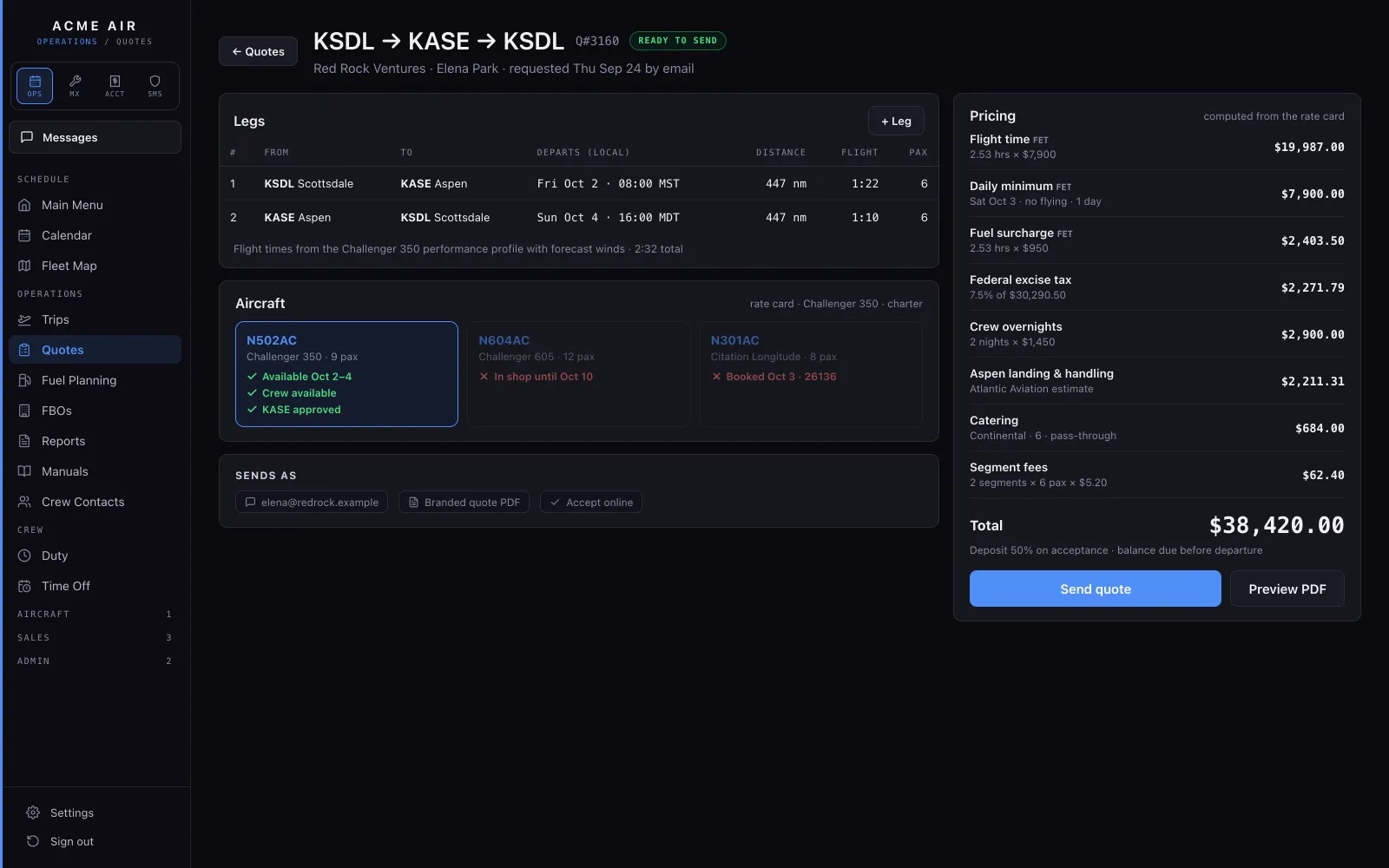
The quote builder: two legs from Scottsdale to Aspen and back, the aircraft picker showing availability and crew, and the pricing column.
Quote builderPick the legs and the aircraft and the trip is priced from your own rate card. As you choose, it shows whether that tail is free, whether a crew is available and whether the airport needs a special qualification. The client signs online.
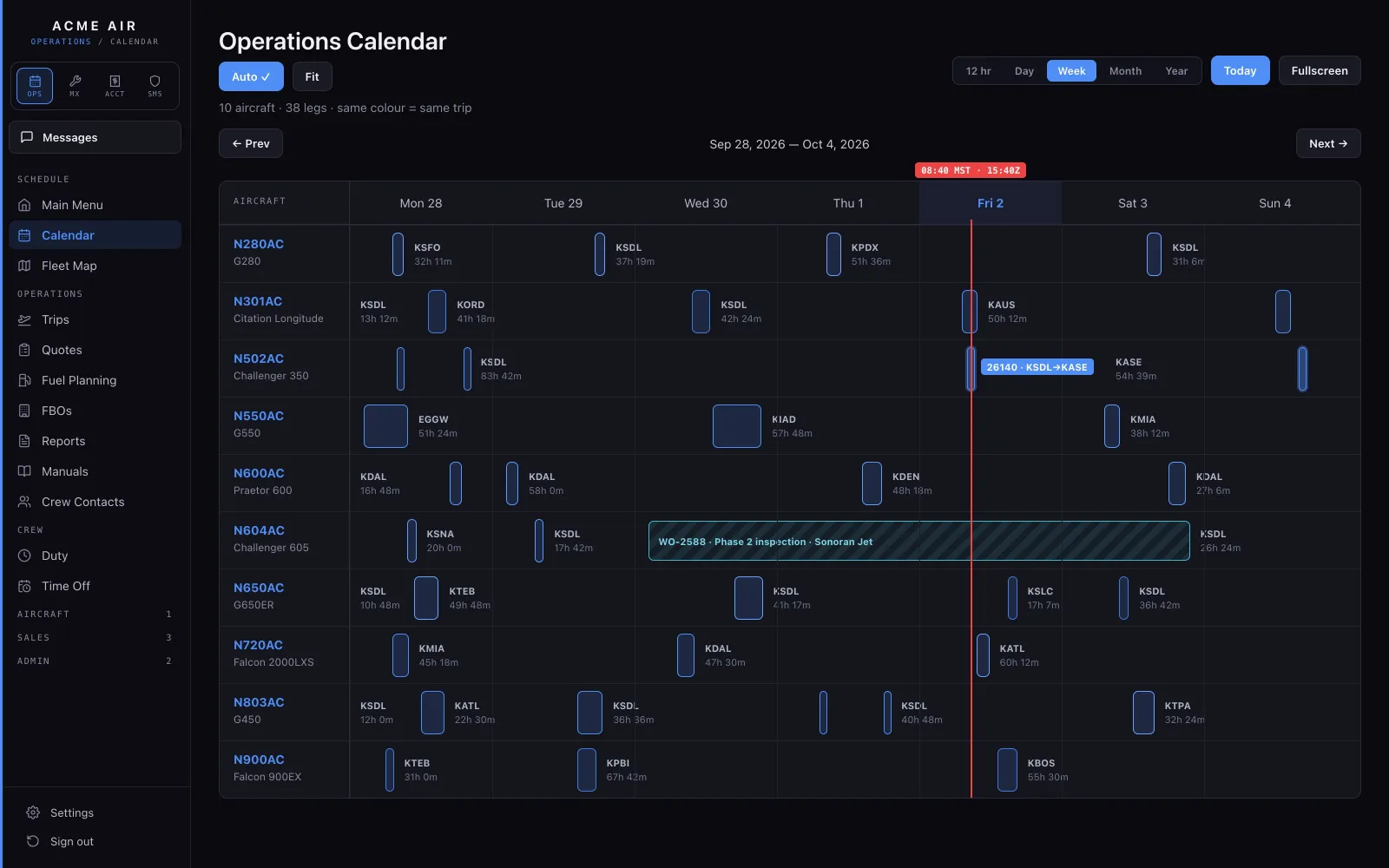
The Operations Calendar: a week of legs for ten aircraft on one timeline.
Operations CalendarEvery aircraft on one timeline, legs color-matched by trip, with maintenance deferrals drawn on the same calendar.
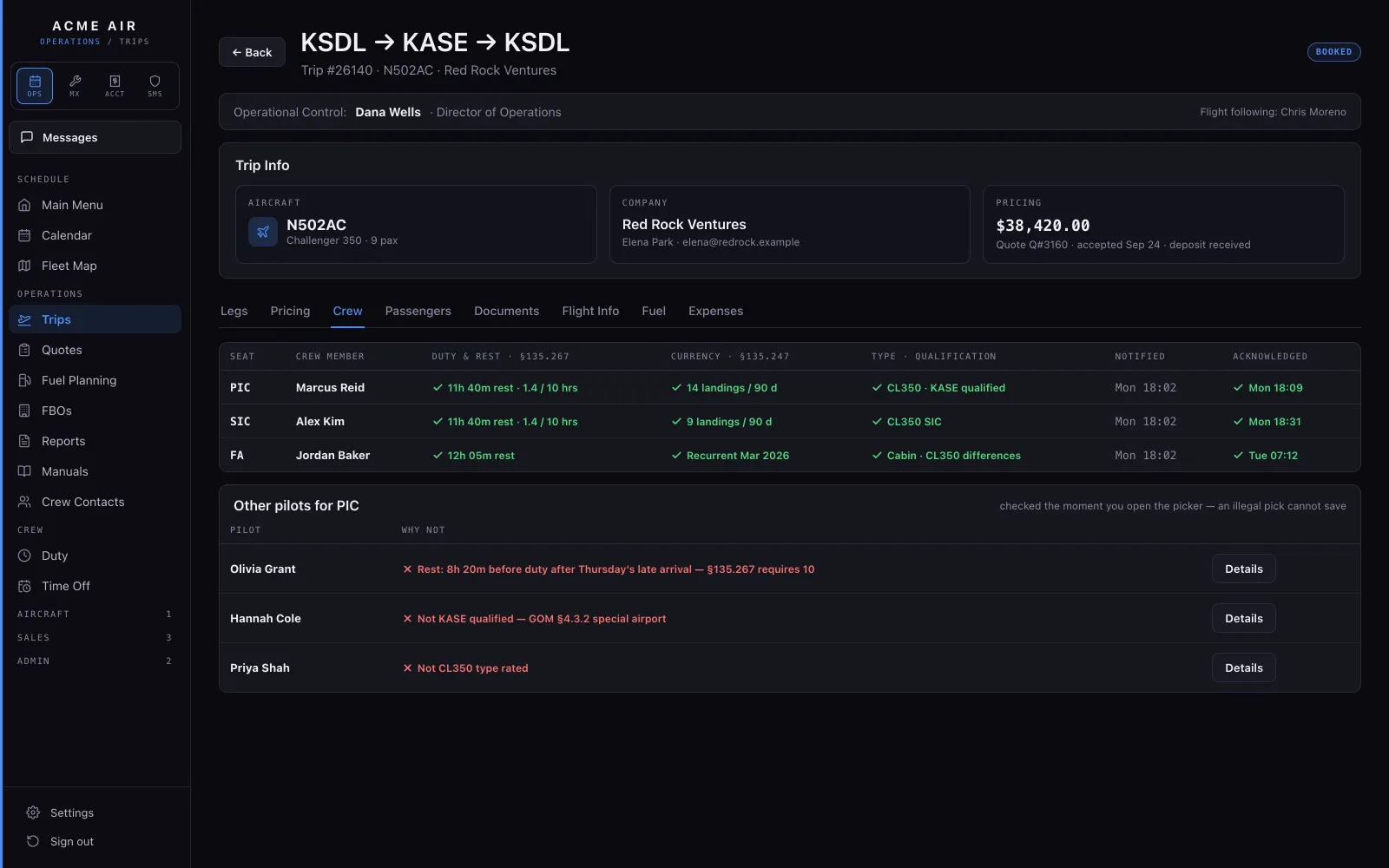
Crew assignment for a leg, with one pilot flagged as not legal because of rest before duty.
Crew assignmentPIC and SIC are assigned leg by leg. Every pick is checked against flight time, duty and rest, and against takeoff and landing recency, before it saves. When a pilot won't work, it tells you why.
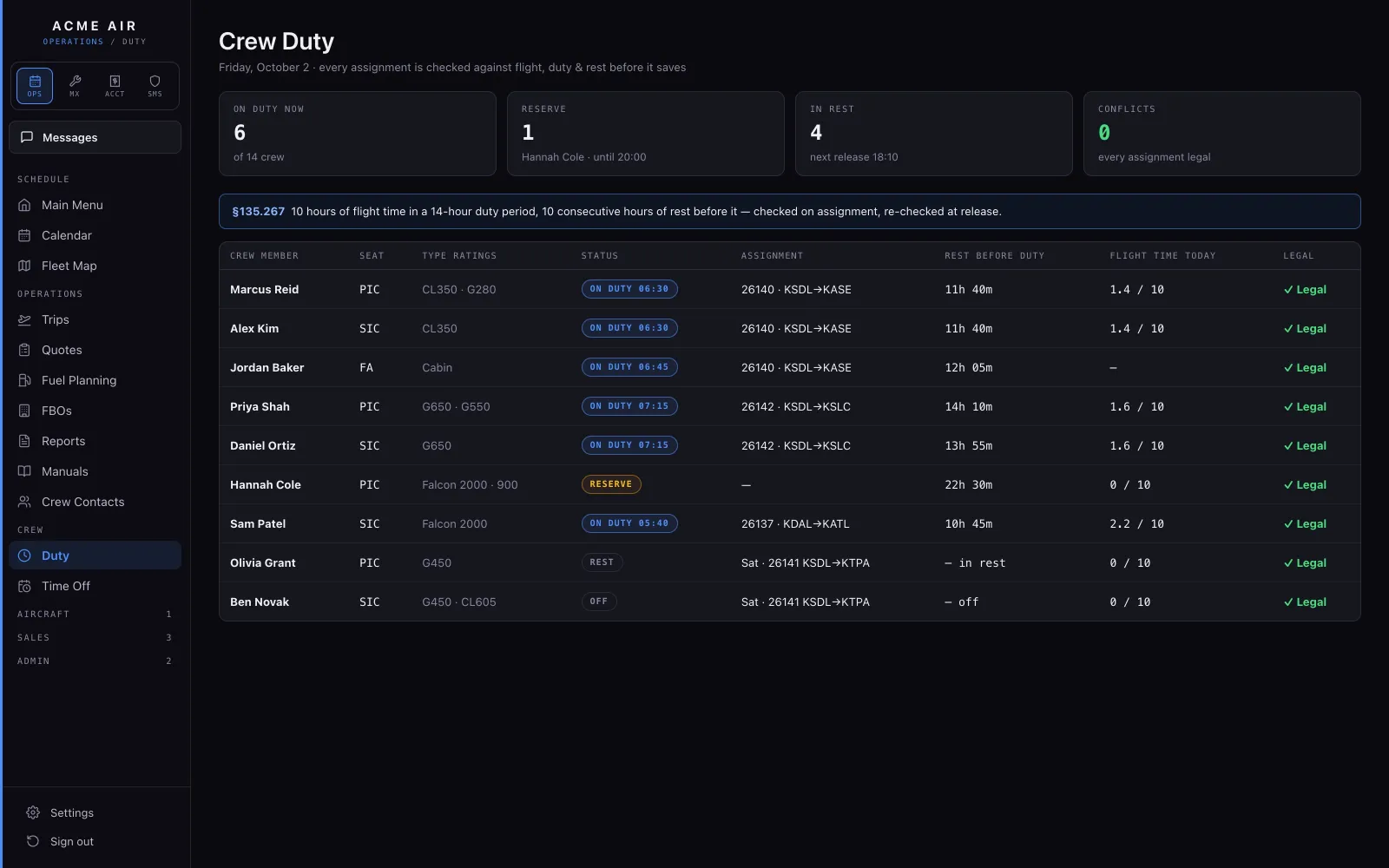
The crew duty board: each pilot with duty, rest and flight-time limits.
Crew dutyEvery pilot's flight time, duty and rest on one board, from the crew's own logged times, with time off alongside.
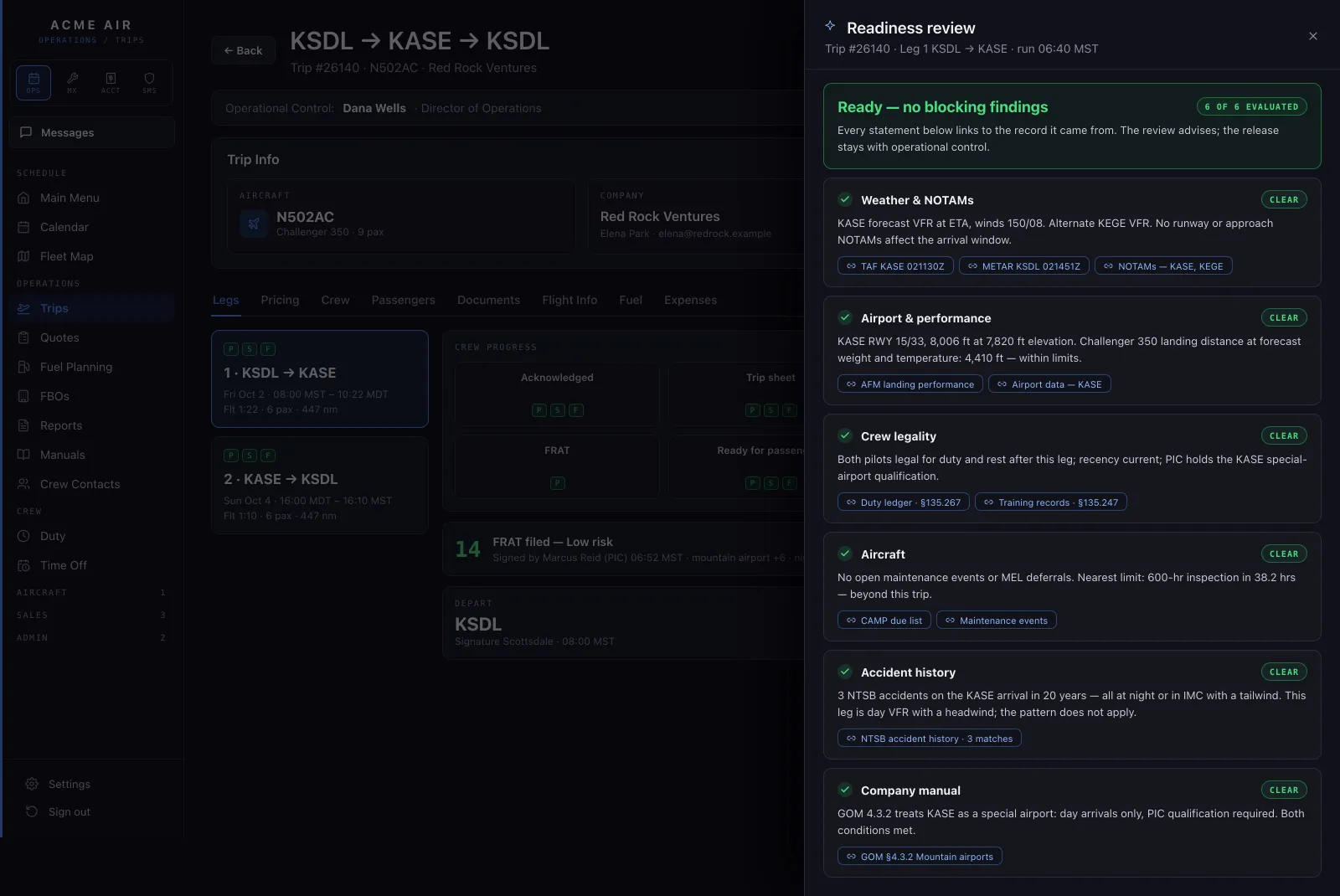
The readiness review for a leg: no blocking findings, each line linked to its source.
Readiness reviewAn AI review reads the whole leg and links every finding to the record it came from. It advises; the release stays with operational control.
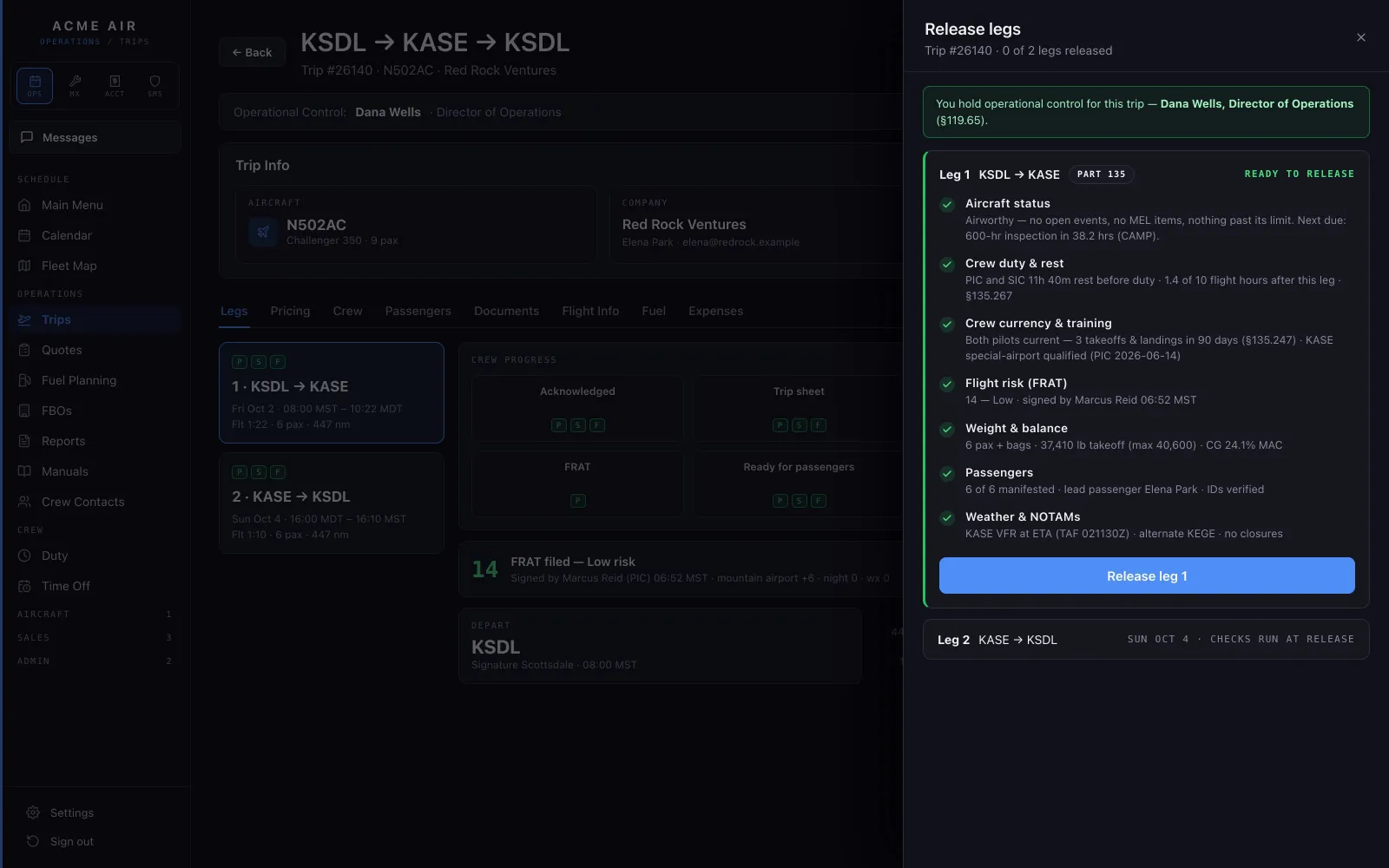
The release drawer for leg 1 with every check passed and a Release leg 1 button.
ReleaseEach leg releases only after its checks pass: aircraft status, crew duty and currency, the flight risk assessment, weight and balance, passengers, weather and NOTAMs. The person with operational control releases it.
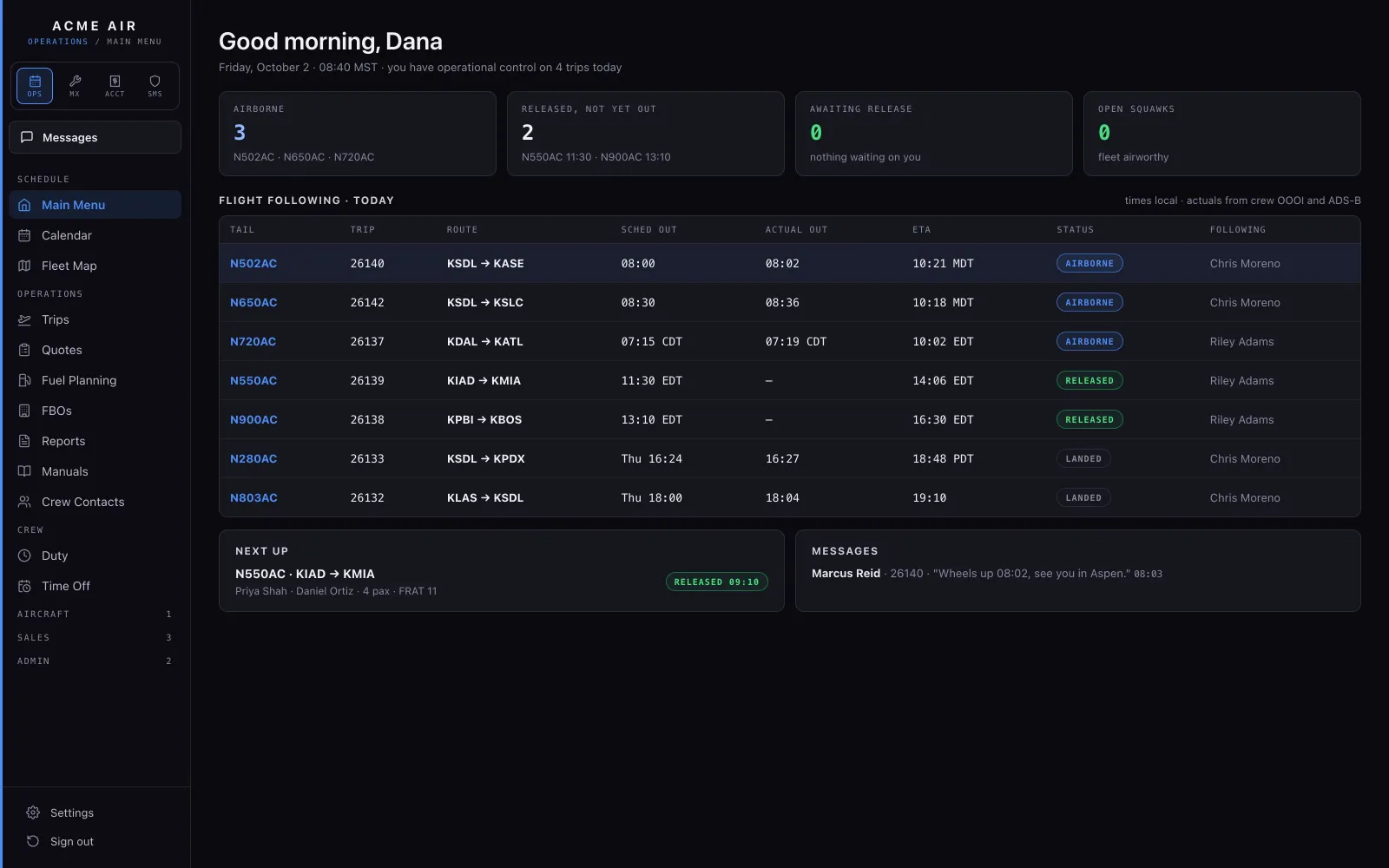
The Today board: aircraft airborne, released and waiting, with flight following for every trip of the day.
TodayWhat is airborne, what is released and not yet out, and flight following for every trip of the day, with scheduled and actual out times and ETAs.
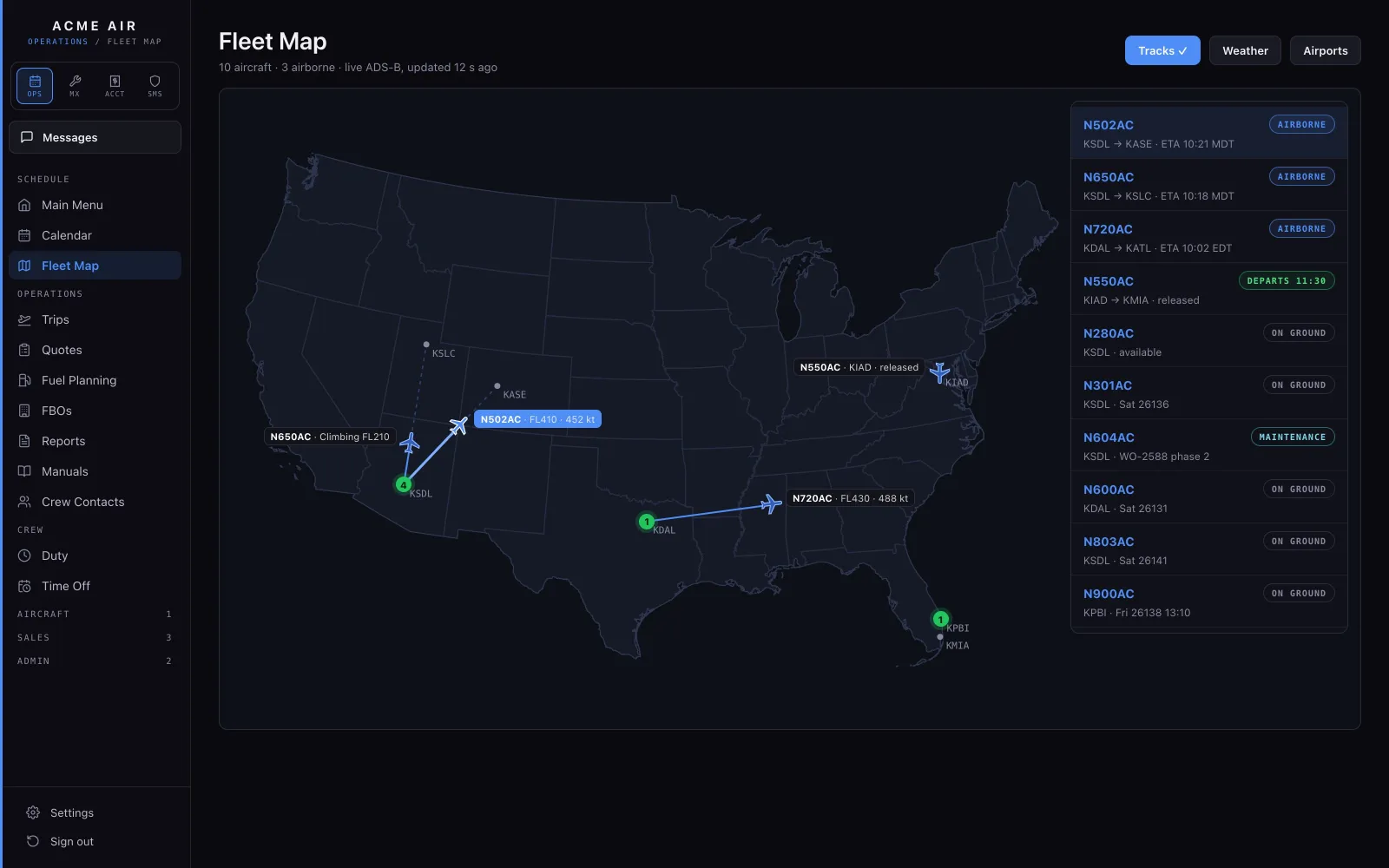
The Fleet Map with aircraft positions from ADS-B.
Fleet MapLive ADS-B puts every tail on the map, and every trip has its flight followers.
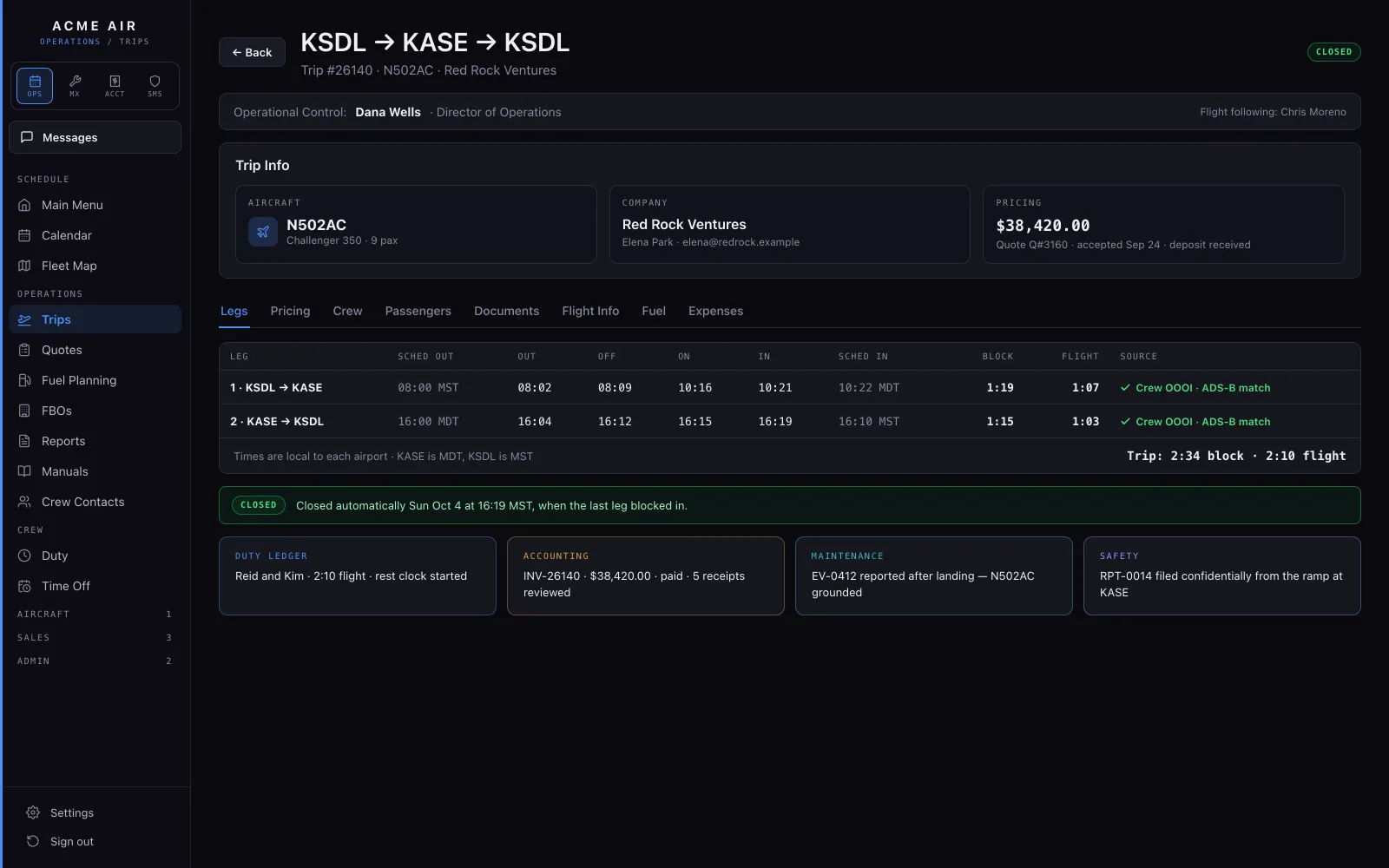
A trip's actuals: out, off, on and in times for both legs, confirmed against ADS-B.
ActualsOut, off, on and in from the crew, confirmed against ADS-B. Block time, flight time and duty update without anyone typing them again, and the trip closes when its last leg is done.

FAA§135.267 flight, duty & rest · §135.247 recency · §119.65 operational control

02 / Pilots & crew

The trip finds the pilot.

A push notification, one-tap acknowledgment, the trip sheet, the risk brief and the FRAT. Then four times logged and the rest done for them.
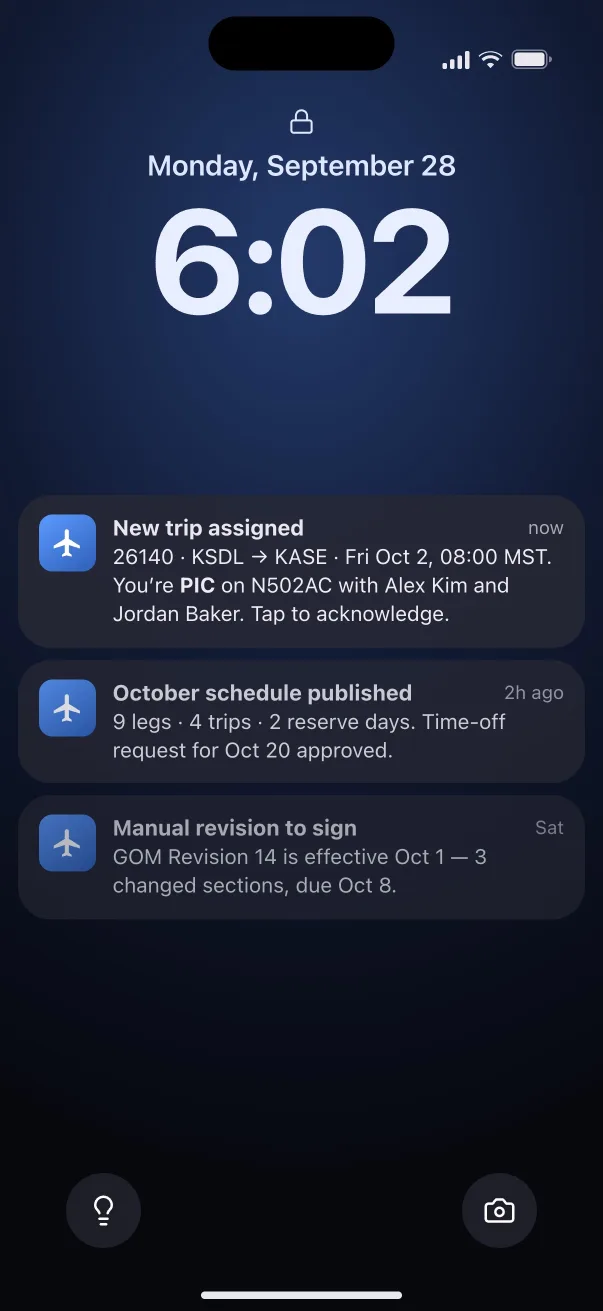
The lock screen with notifications: a new trip assigned, the October schedule published and a manual revision to sign.
NotificationA new trip, a schedule change or a manual revision arrives as a push notification.
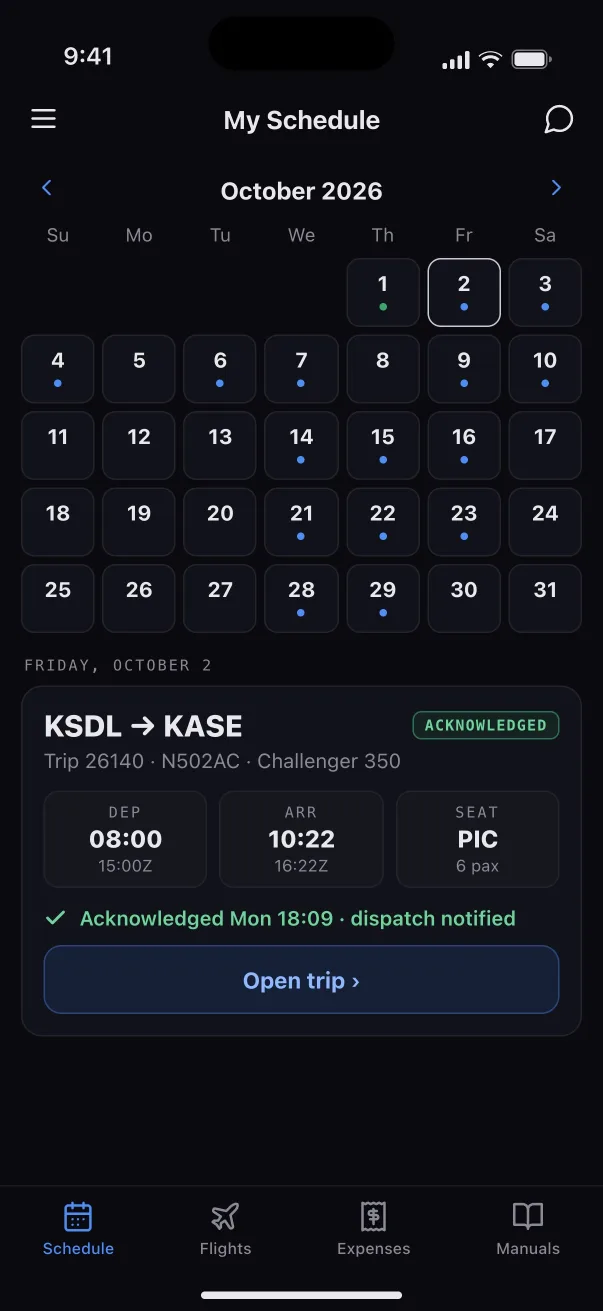
My Schedule for October with trip 26140 acknowledged.
My ScheduleThe trip lands on the pilot's schedule, and one tap acknowledges it. Dispatch is told.
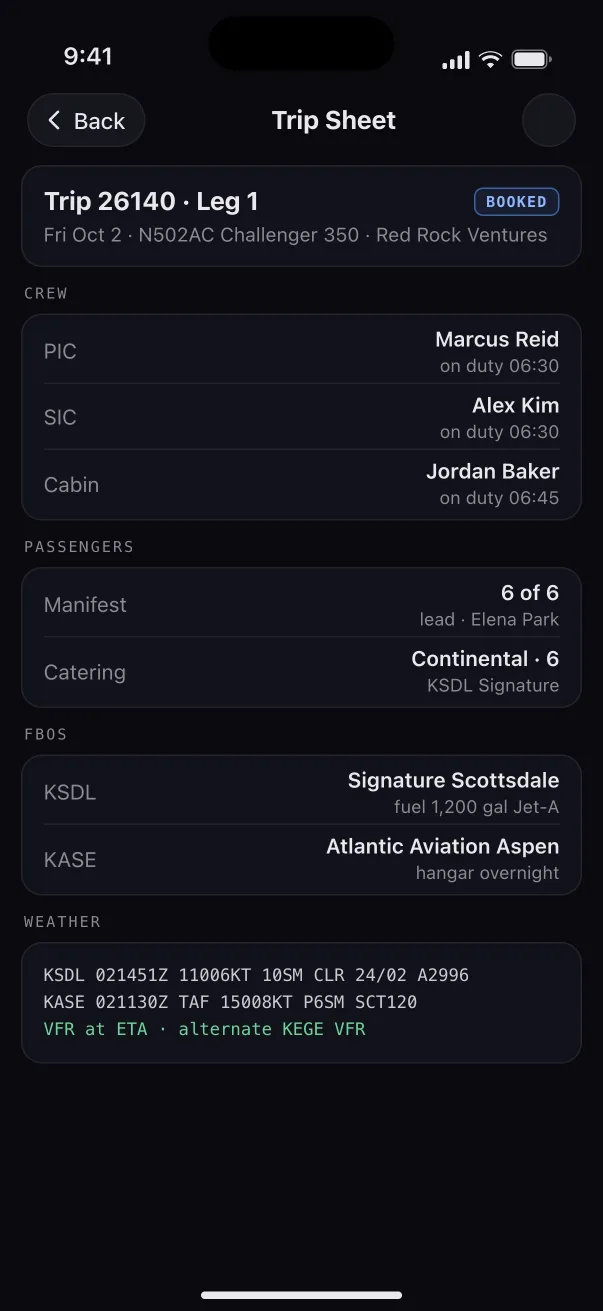
The trip sheet for leg 1: crew, passengers, catering, FBOs and weather.
Trip sheetCrew, passengers, catering, FBOs and the weather for the leg, on one sheet.
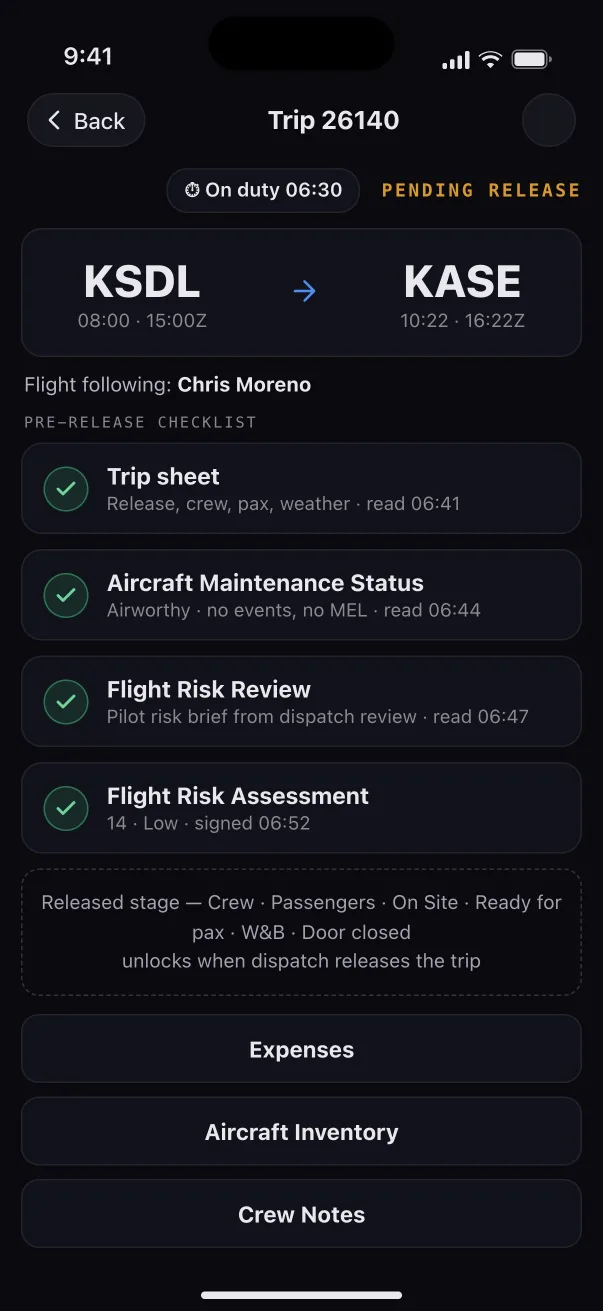
The pre-release checklist for a leg, with the trip sheet, maintenance status, risk review and FRAT all read.
Pre-releaseBefore release the crew works down the leg: the trip sheet, the aircraft's maintenance status, the flight risk review and the FRAT, each marked read.
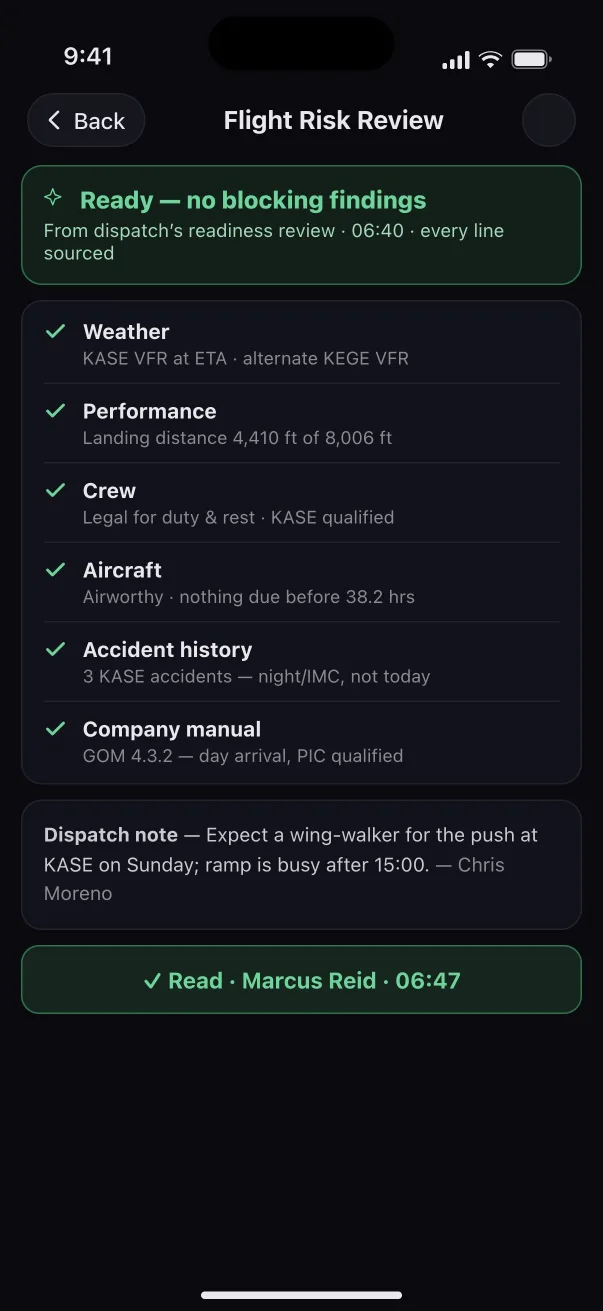
The flight risk review on the phone: ready, no blocking findings.
Risk briefThe brief from dispatch's readiness review: weather, performance, crew, aircraft, accident history and the company manual, every line sourced.
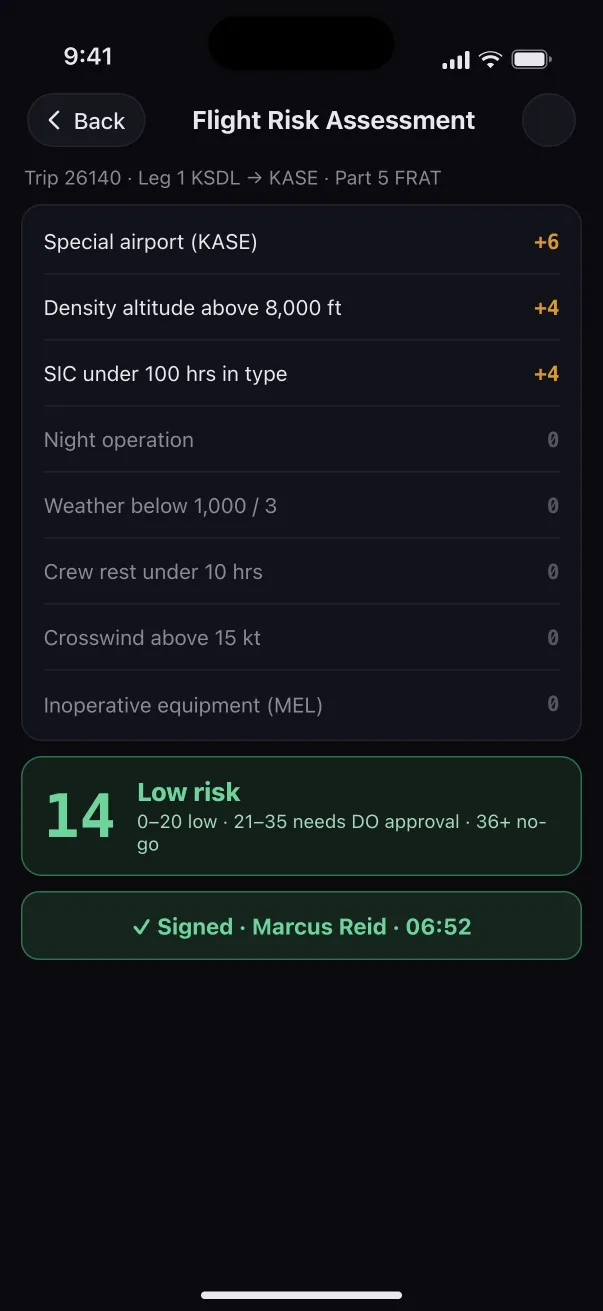
The flight risk assessment for leg 1: a low score of 14, signed by the PIC.
FRATThe flight risk assessment scores itself from the leg's own facts and the PIC signs it. A high score needs approval before the leg can go.
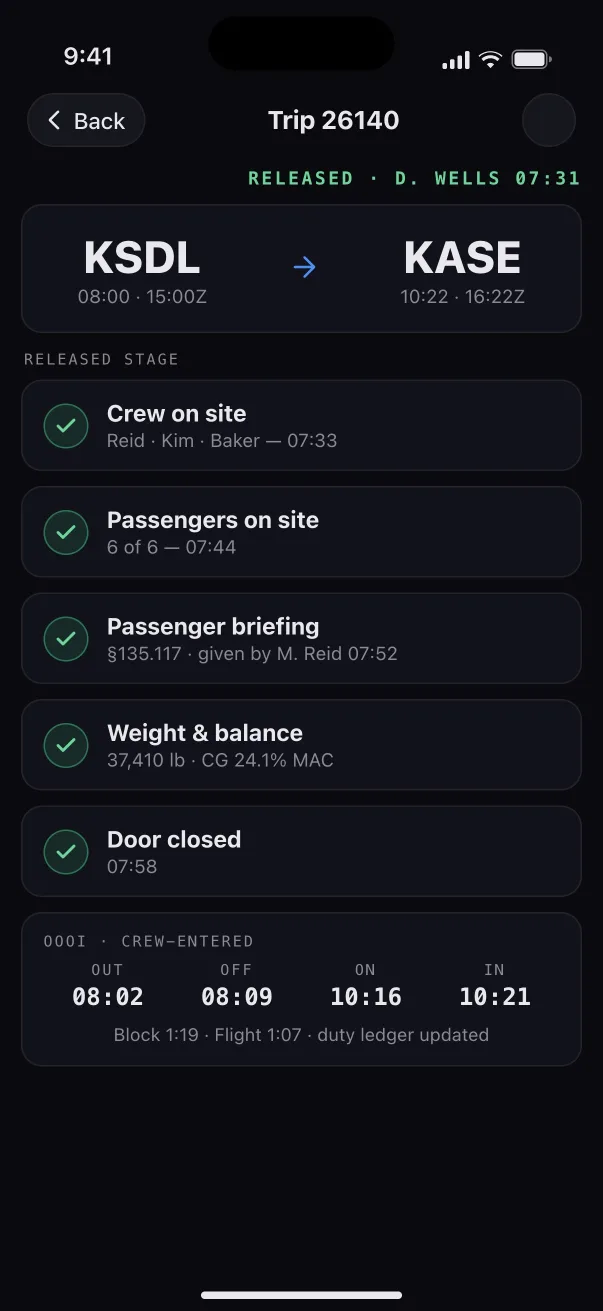
The released stage of a trip: crew on site, passengers on site, briefing, weight and balance and door closed.
ReleasedOnce the leg is released: crew on site, passengers on site, the passenger briefing, weight and balance and the door closed, each logged with its time.
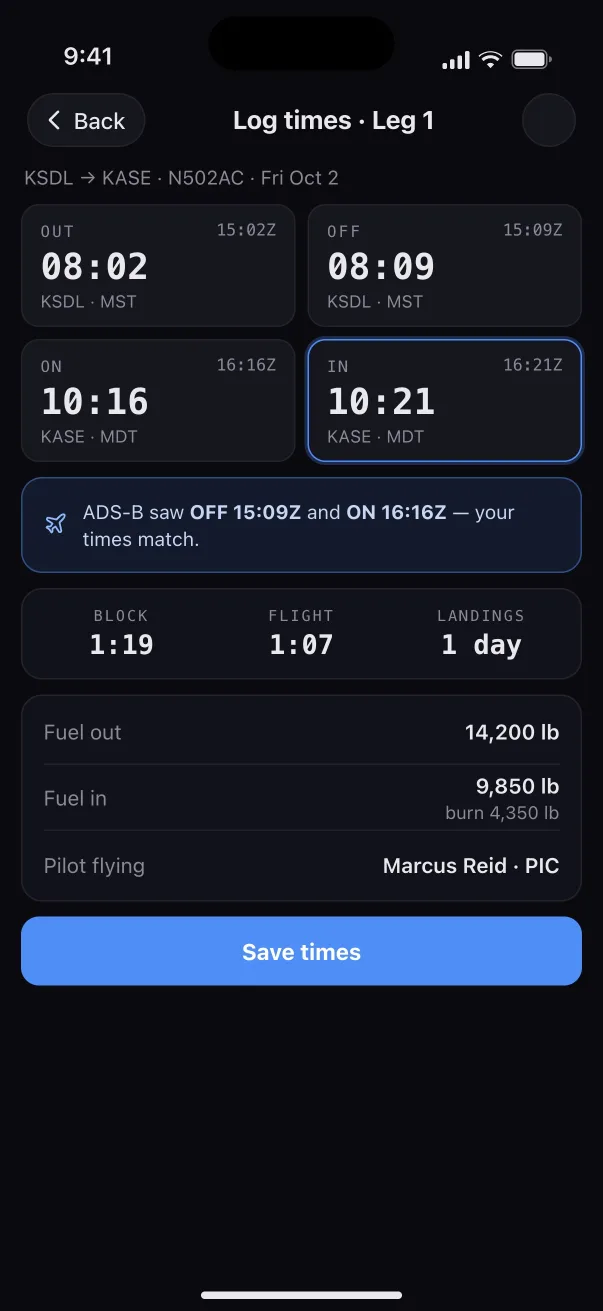
Logging out, off, on and in times for leg 1, matched against ADS-B.
Log timesOut, off, on and in from the phone, checked against ADS-B before they are saved.
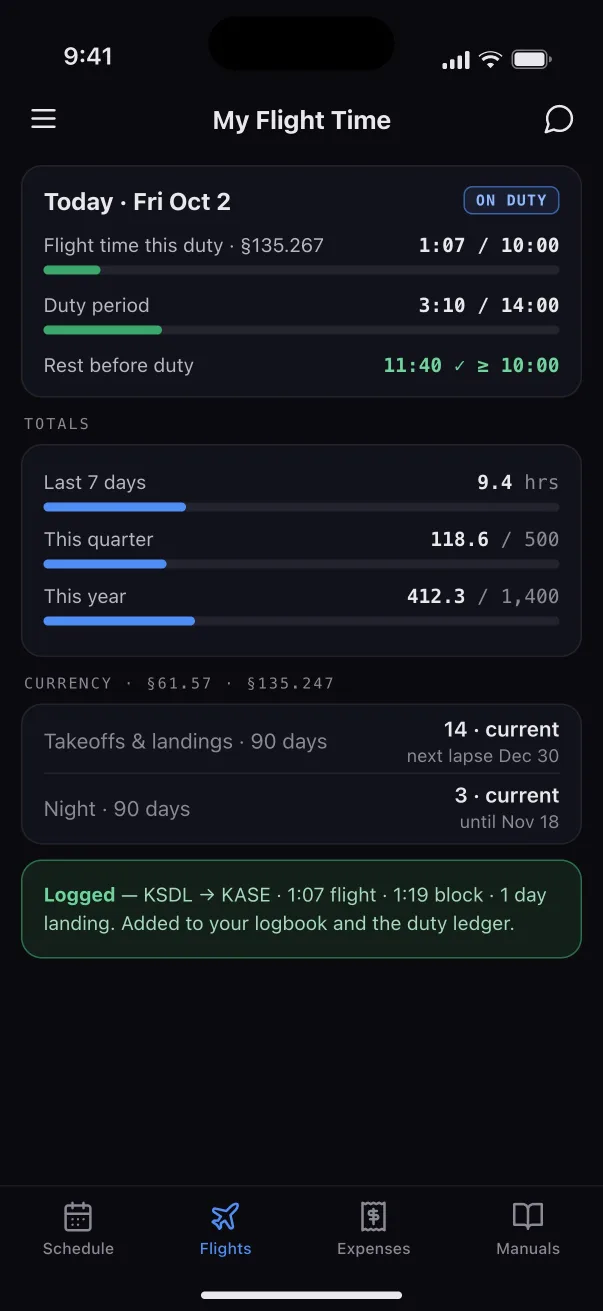
My Flight Time: today’s flight time, duty and rest, totals, and currency.
Flight timeFlight time, duty and rest, and takeoff and landing currency, kept for each pilot from their own logged times.
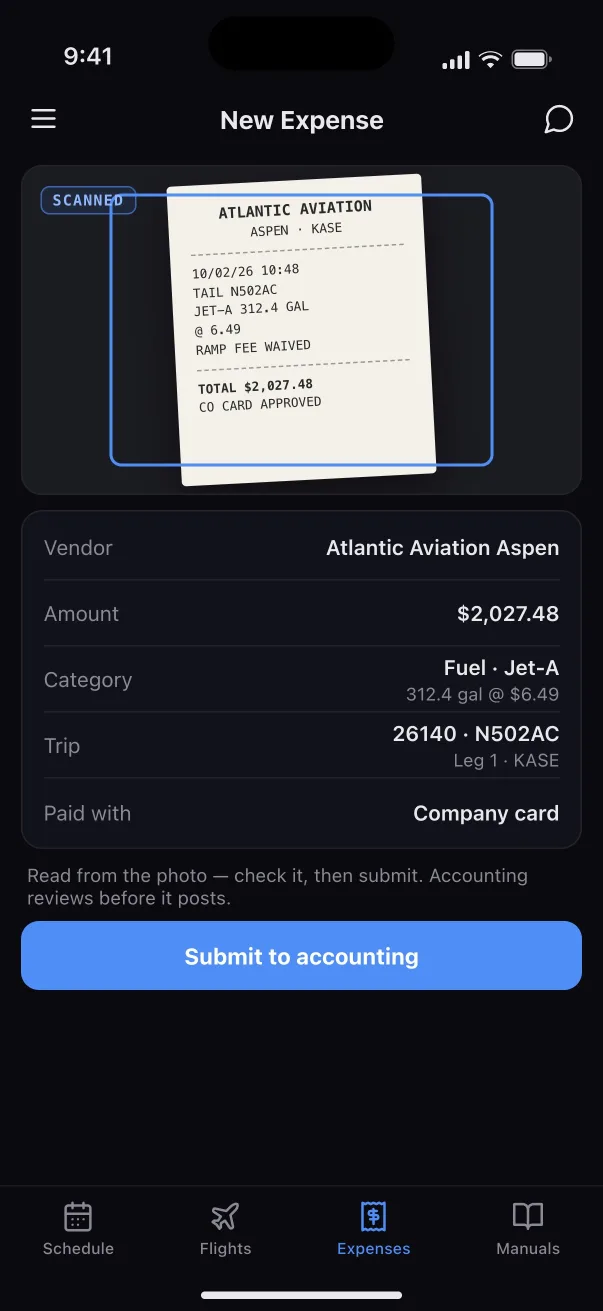
A scanned fuel receipt with its fields read, ready to submit to accounting.
ReceiptsScan a receipt and it is read from the photo, checked by the pilot and sent to accounting for review.

FAA§135.267 · §135.247 · §135.117 passenger briefing · Part 5 FRAT signed before release

03 / Maintenance

Squawk to signed.

Events, work orders, parts, MEL deferrals, inspections due and signed returns to service. Integrated with CAMP.
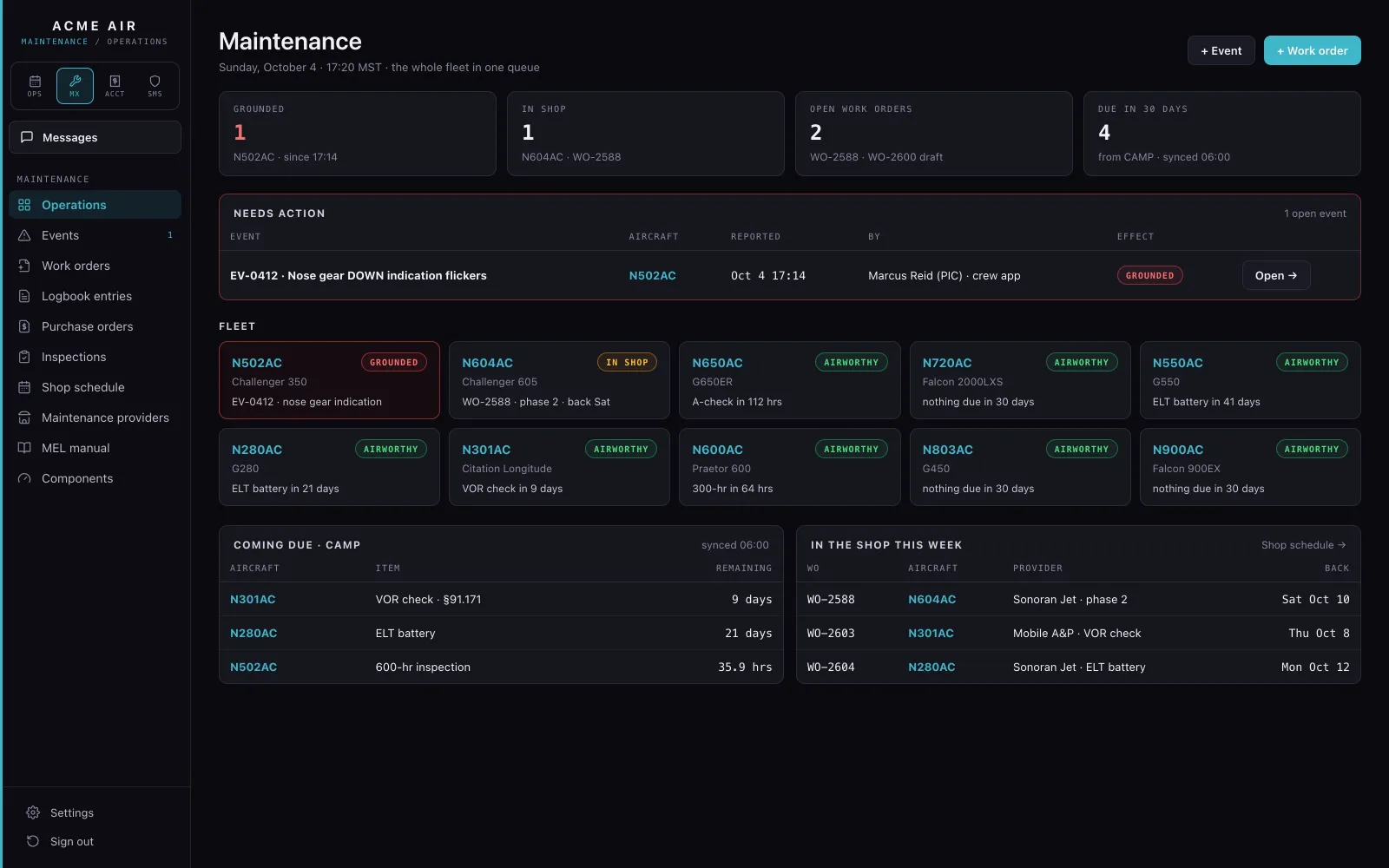
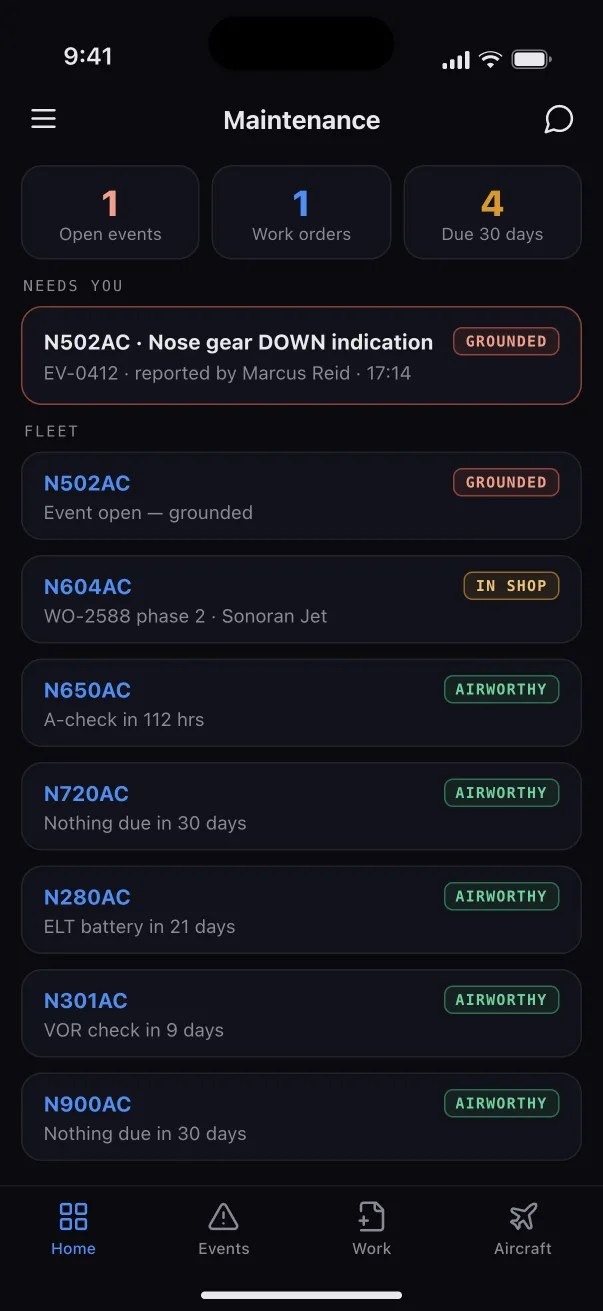
The maintenance home: one grounded aircraft, the fleet with each tail’s status, items coming due and the shop this week.
OperationsThe whole fleet in one queue: what's grounded, what's in the shop, open work orders, what comes due from CAMP, and the event that needs action.
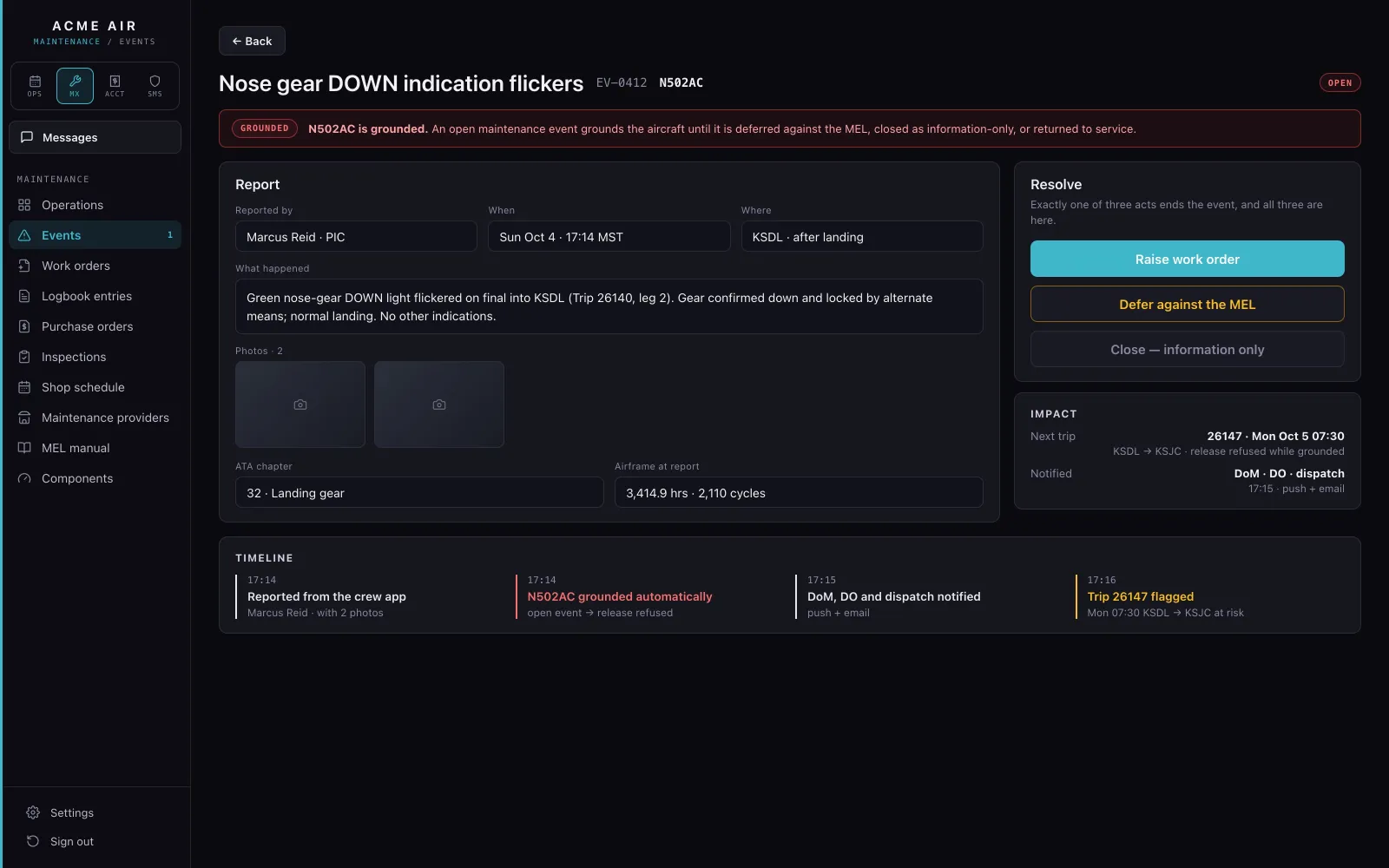
A maintenance event: nose gear down indication flickers, reported by the PIC, with the aircraft grounded.
EventA discrepancy the crew files after landing becomes a maintenance event. The tail is grounded until it is fixed, deferred against the MEL, or closed as information only.
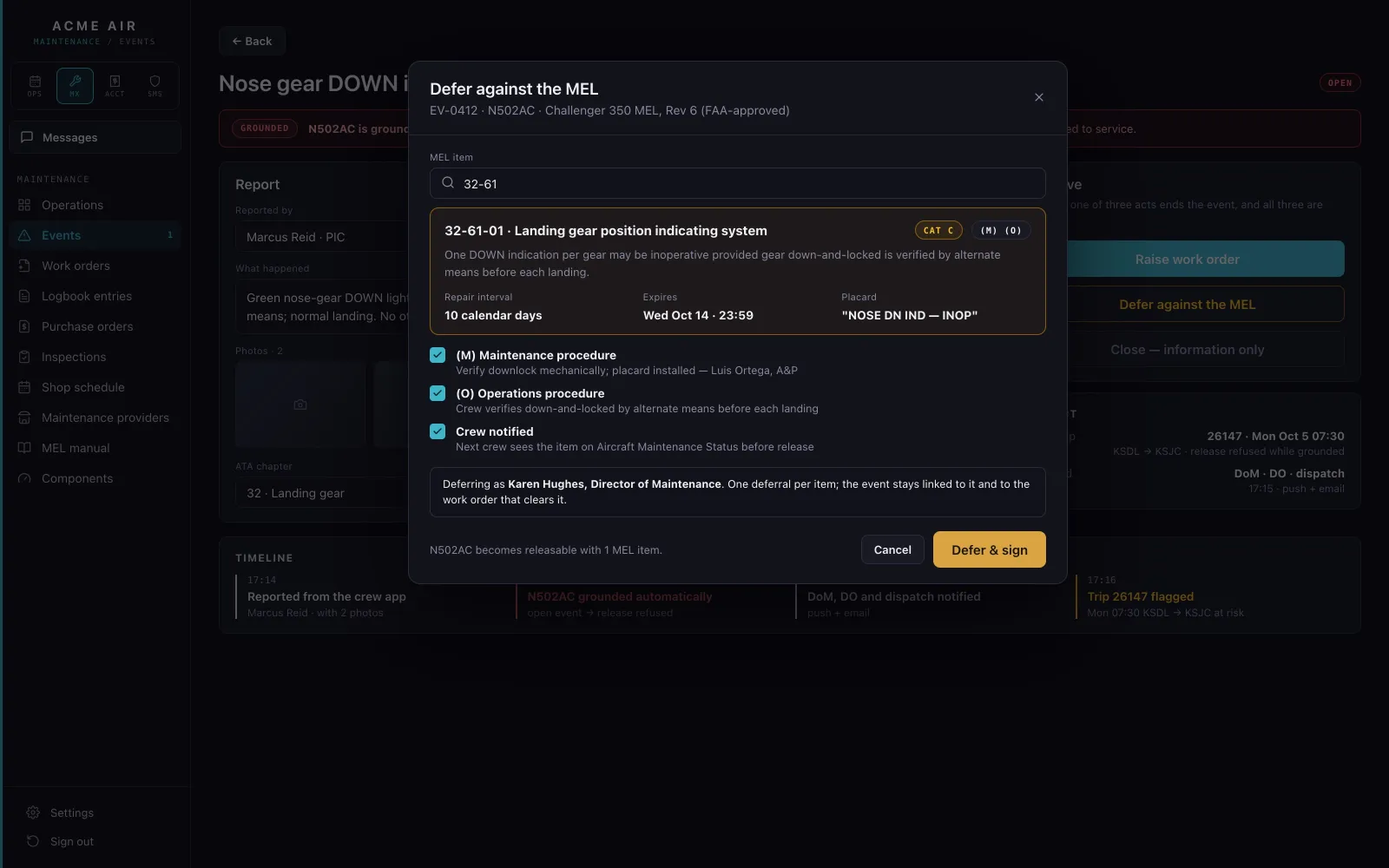
Deferring an item against the MEL: the gear position indication relief picked from the aircraft’s MEL.
MEL deferralDefer against the aircraft's own FAA-approved MEL by picking the relief. The deferral clock goes on the calendar.
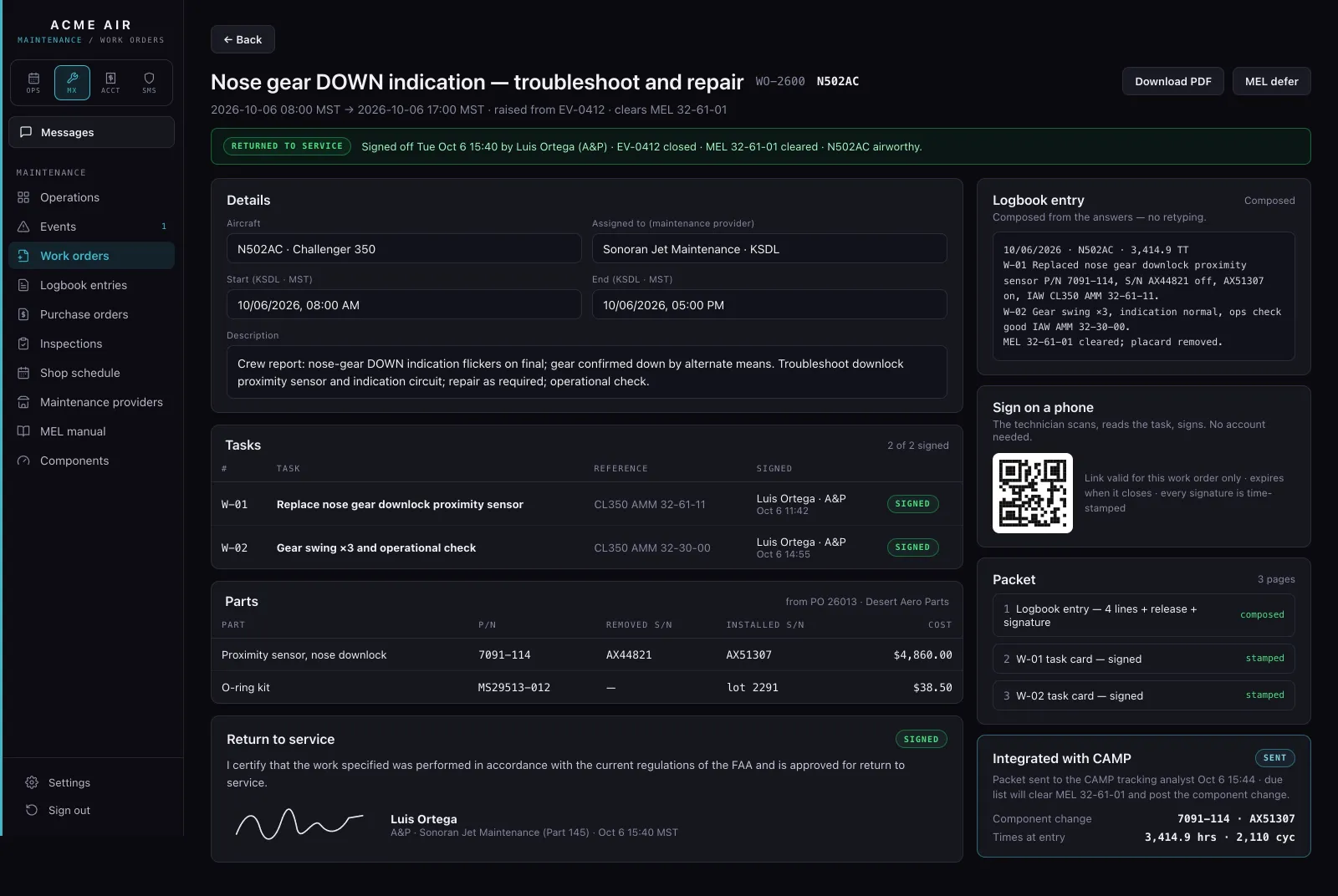
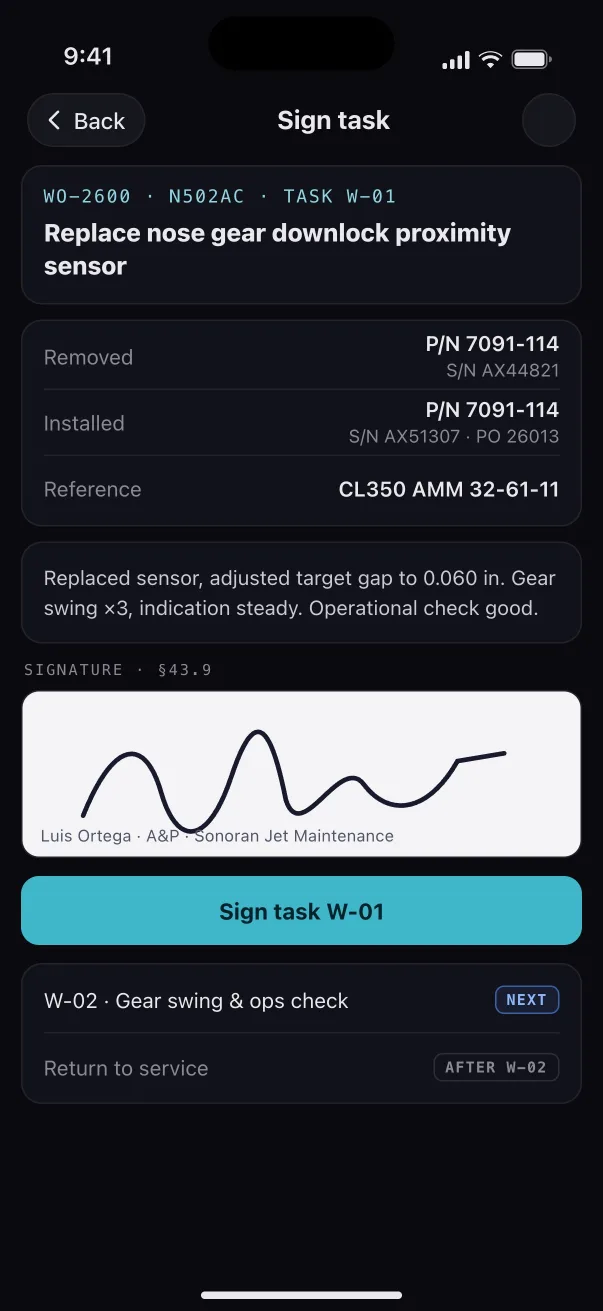
A work order with its tasks, parts, logbook entry, return to service signature and CAMP packet.
Work orderTasks, parts and the logbook entry on one work order. Sign a task in the app or with a QR code on a phone, then send the signed packet to your CAMP analyst in one click.
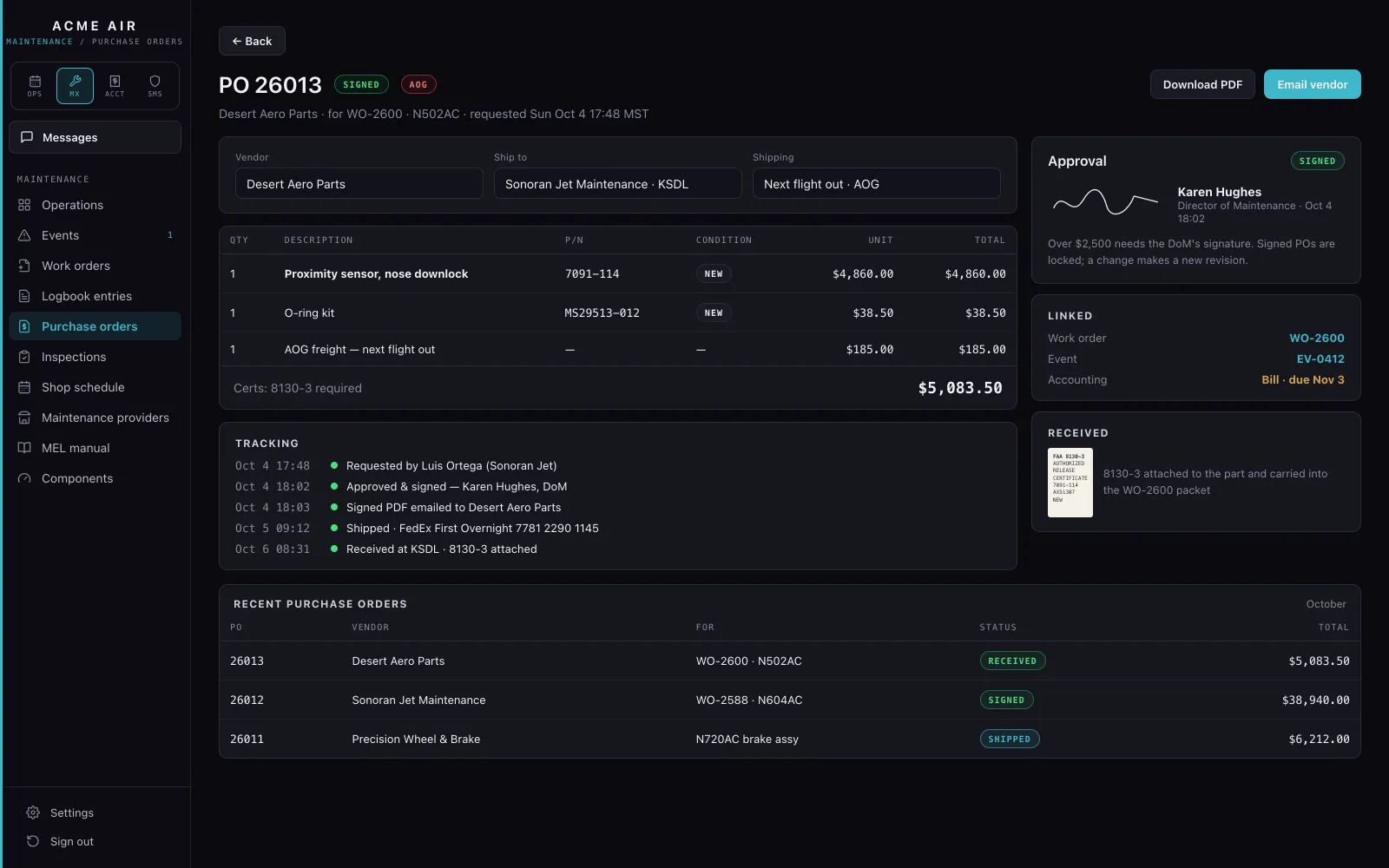
Purchase order 26013 for a proximity sensor, with its vendor and approval.
Purchase orderOrder the part from the work order and email the purchase order to the vendor.
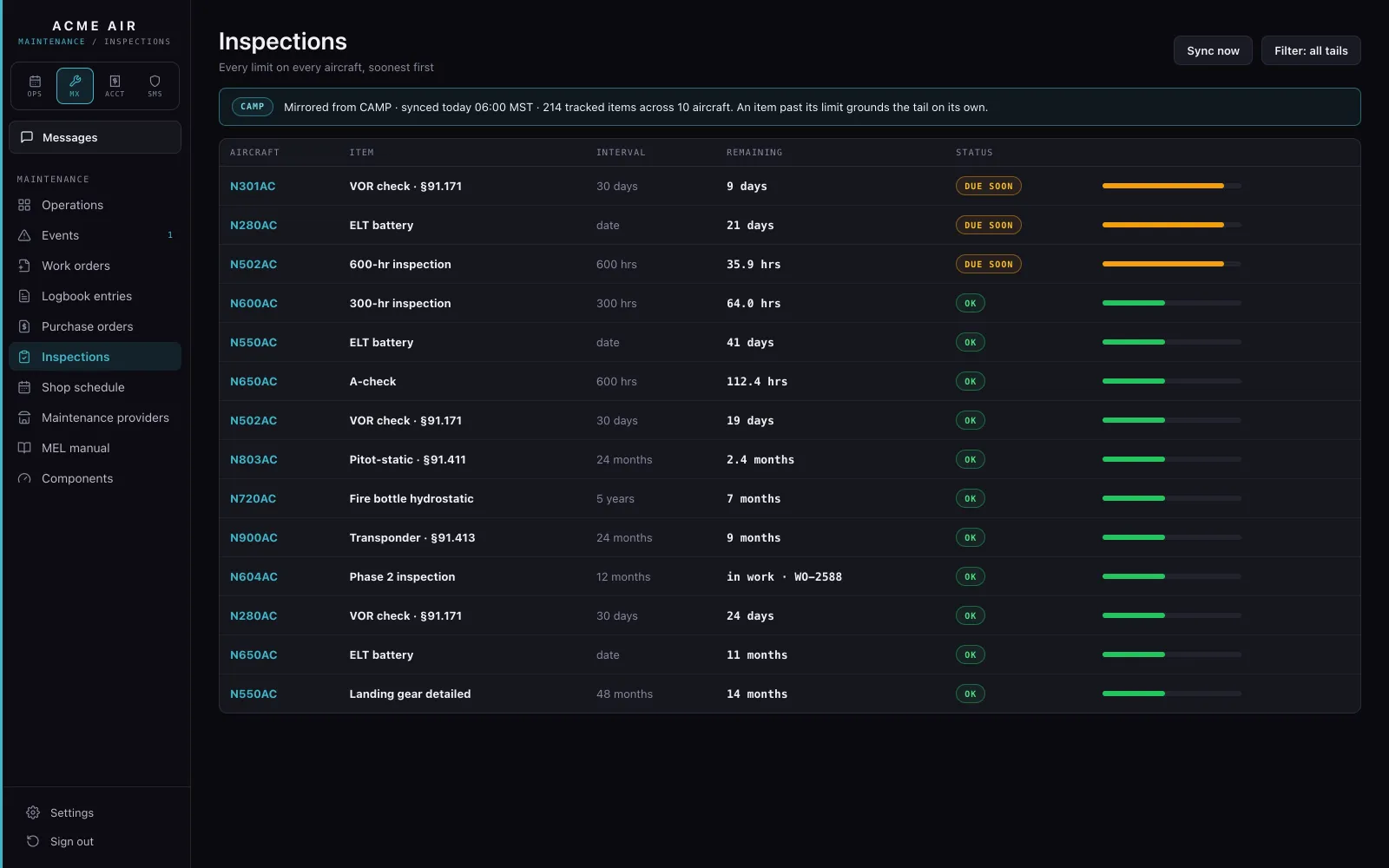
The inspections list: every limit on every aircraft by hours, months or days, soonest first.
InspectionsEvery limit on every aircraft, soonest first, from CAMP. An item past its limit grounds the tail on its own, and the release refuses it.
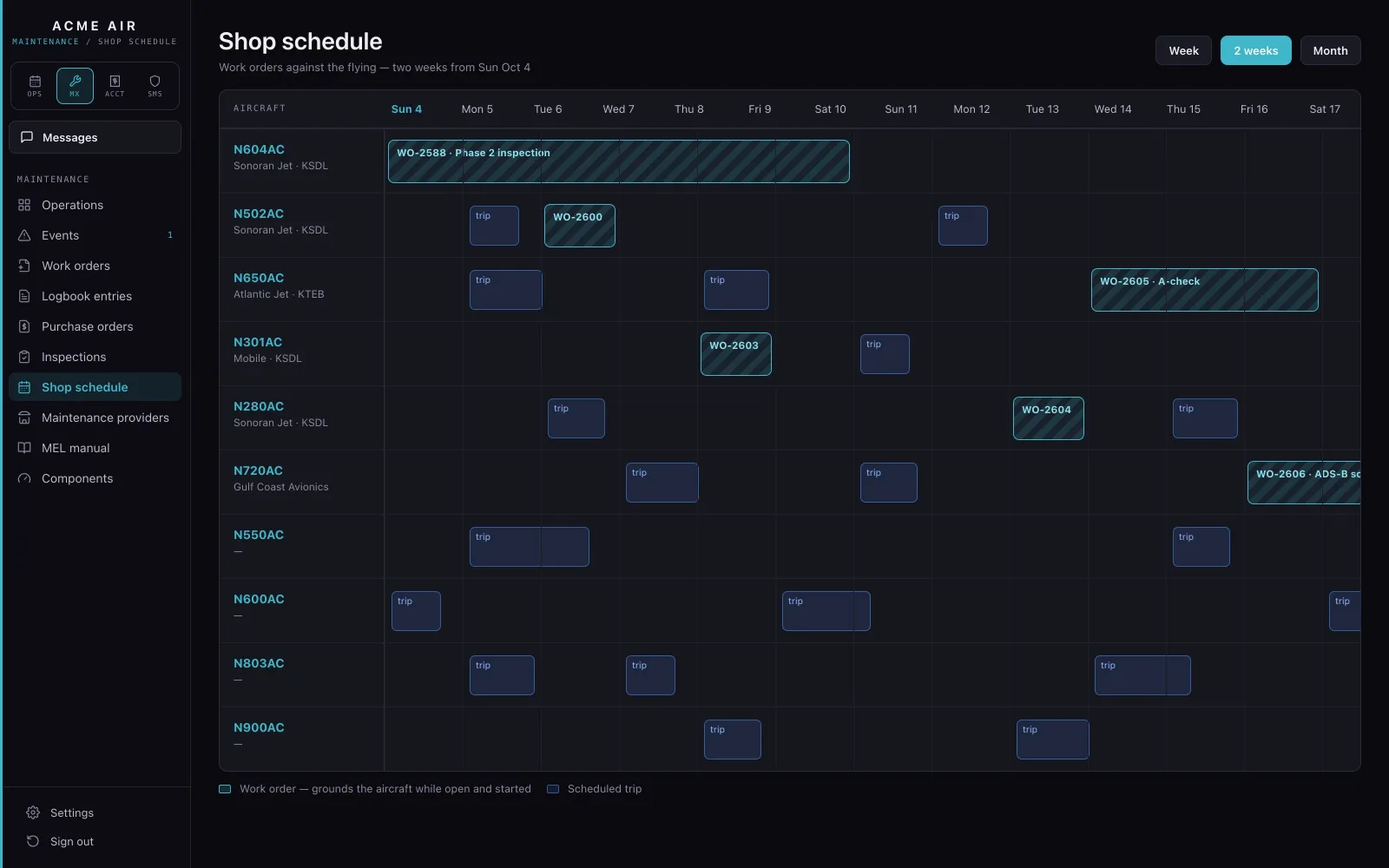
The shop schedule: two weeks of work orders and trips for each aircraft.
Shop scheduleWork orders against the flying, aircraft by aircraft. A work order grounds its aircraft while it is open and started.
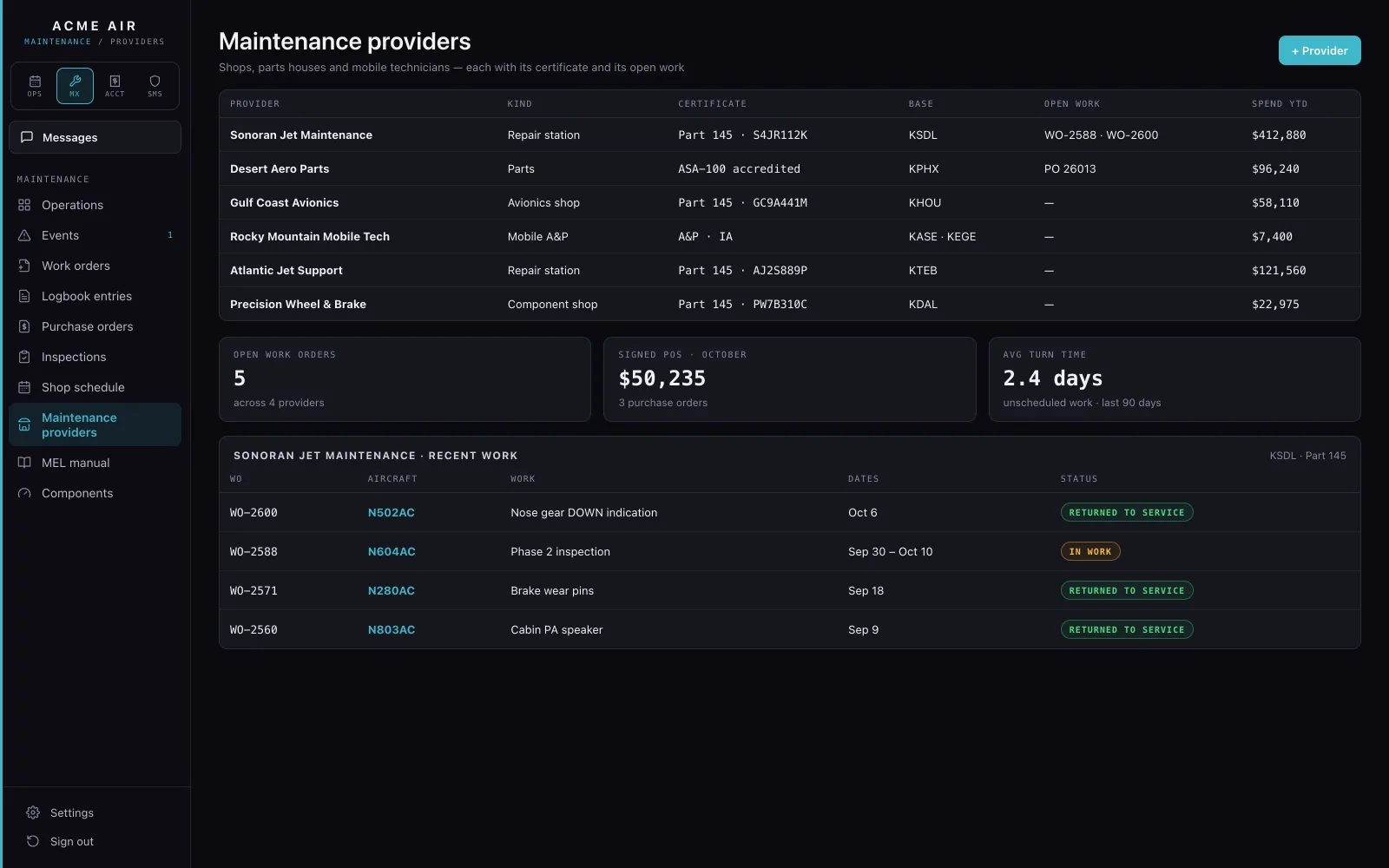
Maintenance providers with their certificates, bases and open work.
ProvidersShops, parts houses and mobile technicians, each with its certificate and its open work.

FAA§43.9 signed record entries · MEL deferrals · §91.171 VOR checks

04 / Accounting

Every side files it. One ledger keeps it.

One Inbox, reviewed by a person, posted to your QuickBooks. Bills, income, trip margins and owner statements.
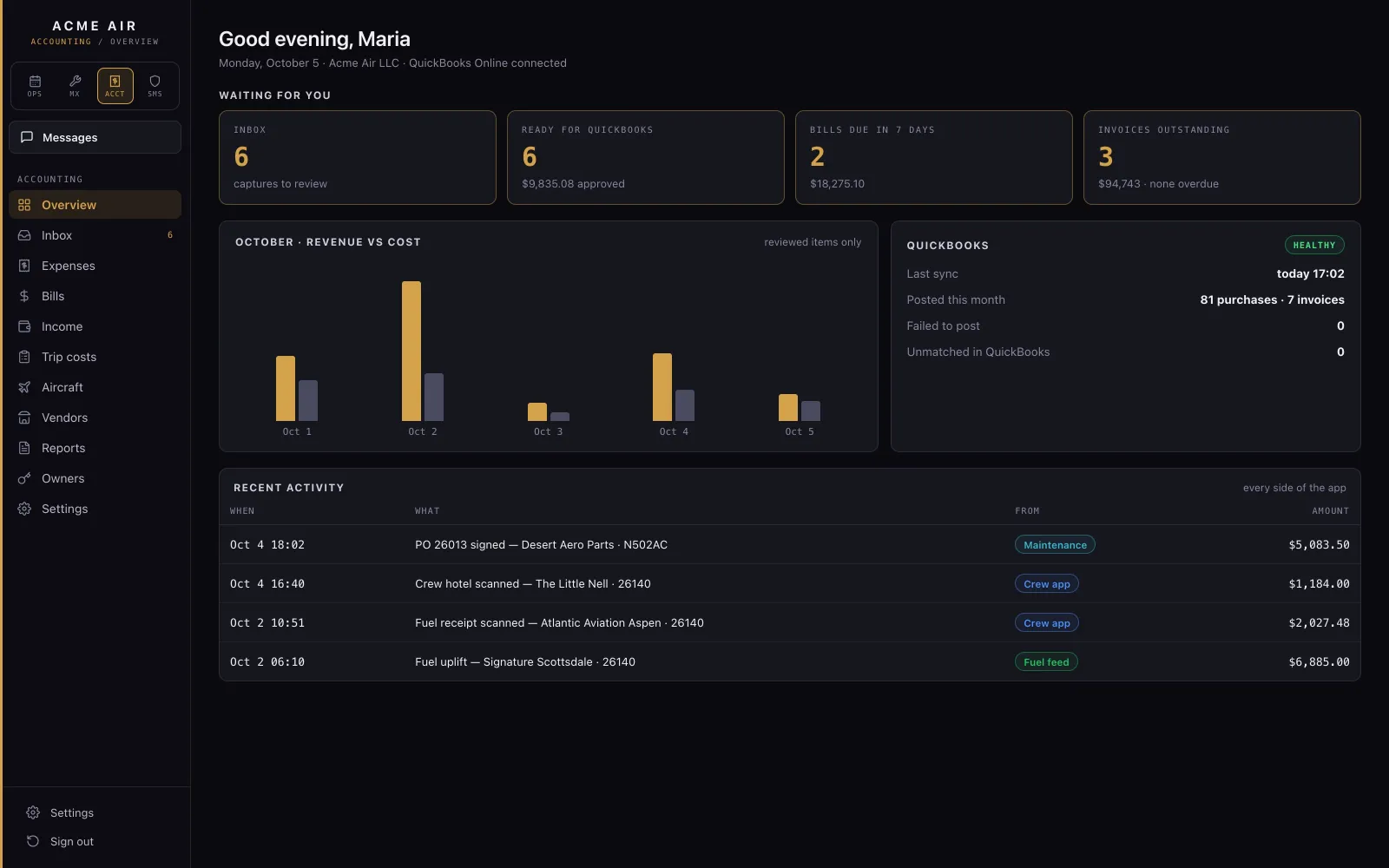
The accounting overview: what is waiting, revenue against cost, the QuickBooks sync and recent activity.
OverviewWhat's waiting for you: captures to review, items ready for QuickBooks, bills due and invoices outstanding, with the QuickBooks sync and every side's recent activity.
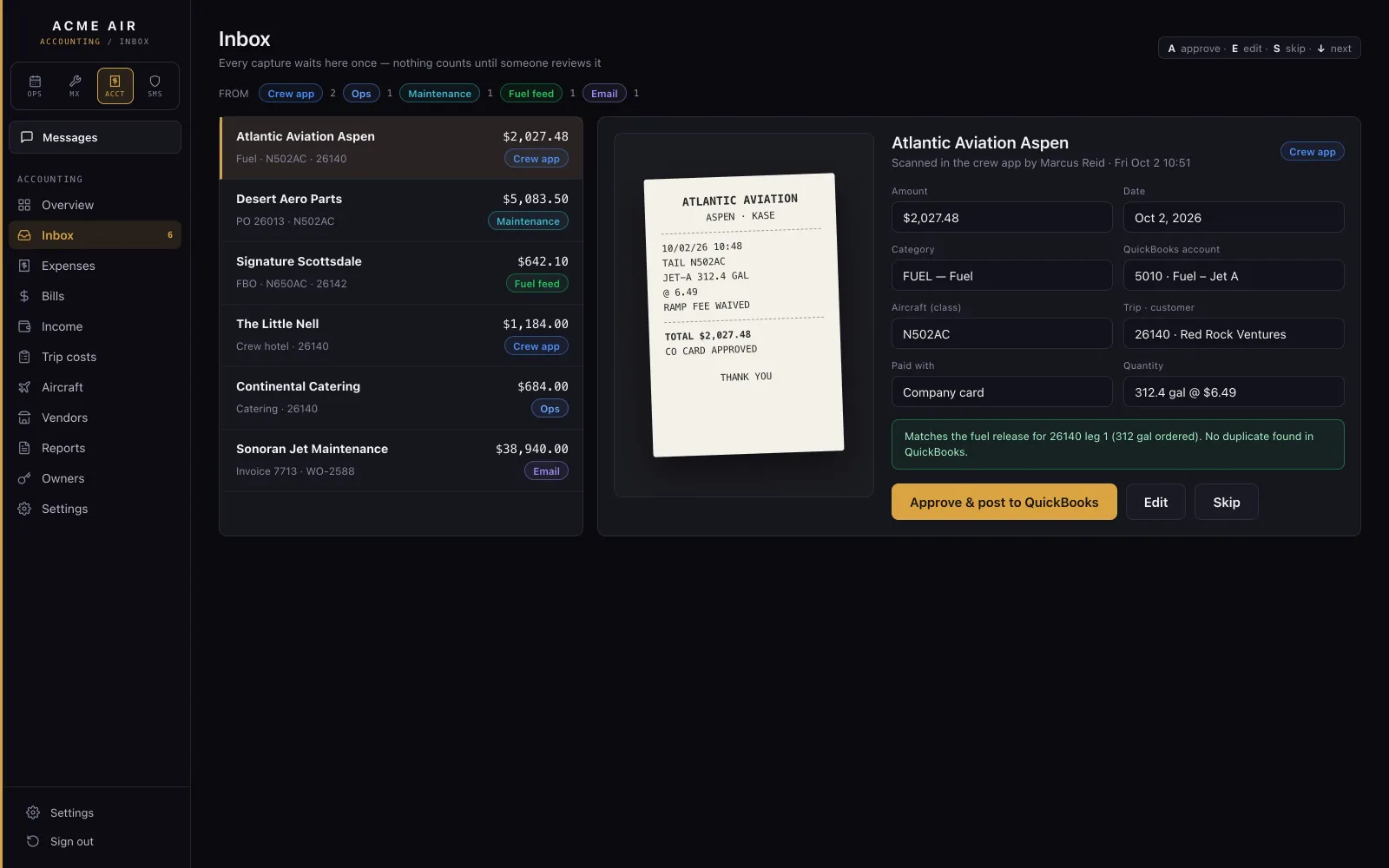
The accounting Inbox: a scanned fuel receipt with its fields read and ready to review.
InboxReceipts from the crew, expenses from dispatch, purchase orders from maintenance and fuel uplifts all land here, read and pre-filled. A person confirms each one with one keystroke; nothing is confirmed automatically.
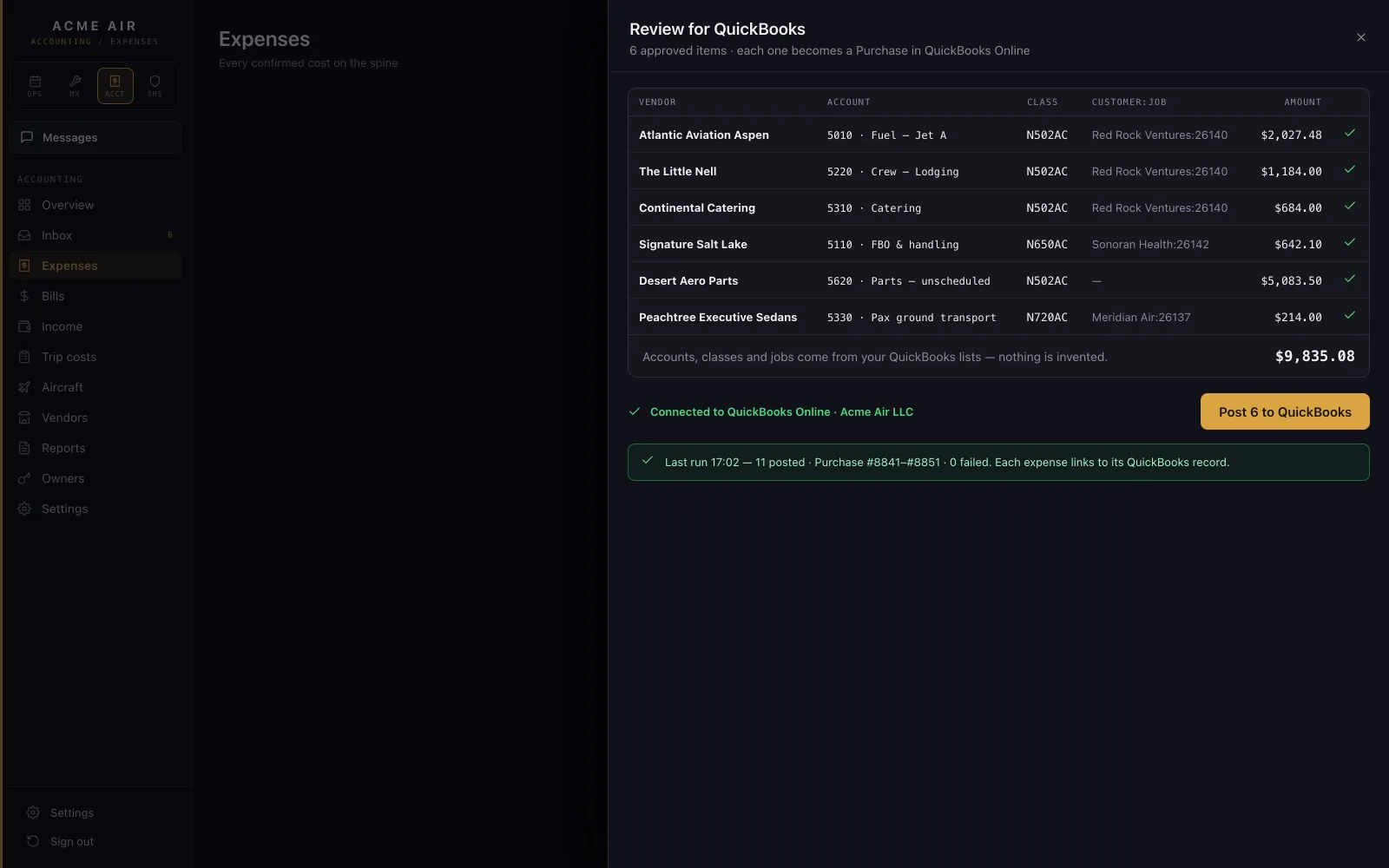
Reviewing expenses before they post to QuickBooks.
Post to QuickBooksConfirmed items post to the QuickBooks company you already use, with the receipt attached, under your own QuickBooks categories.
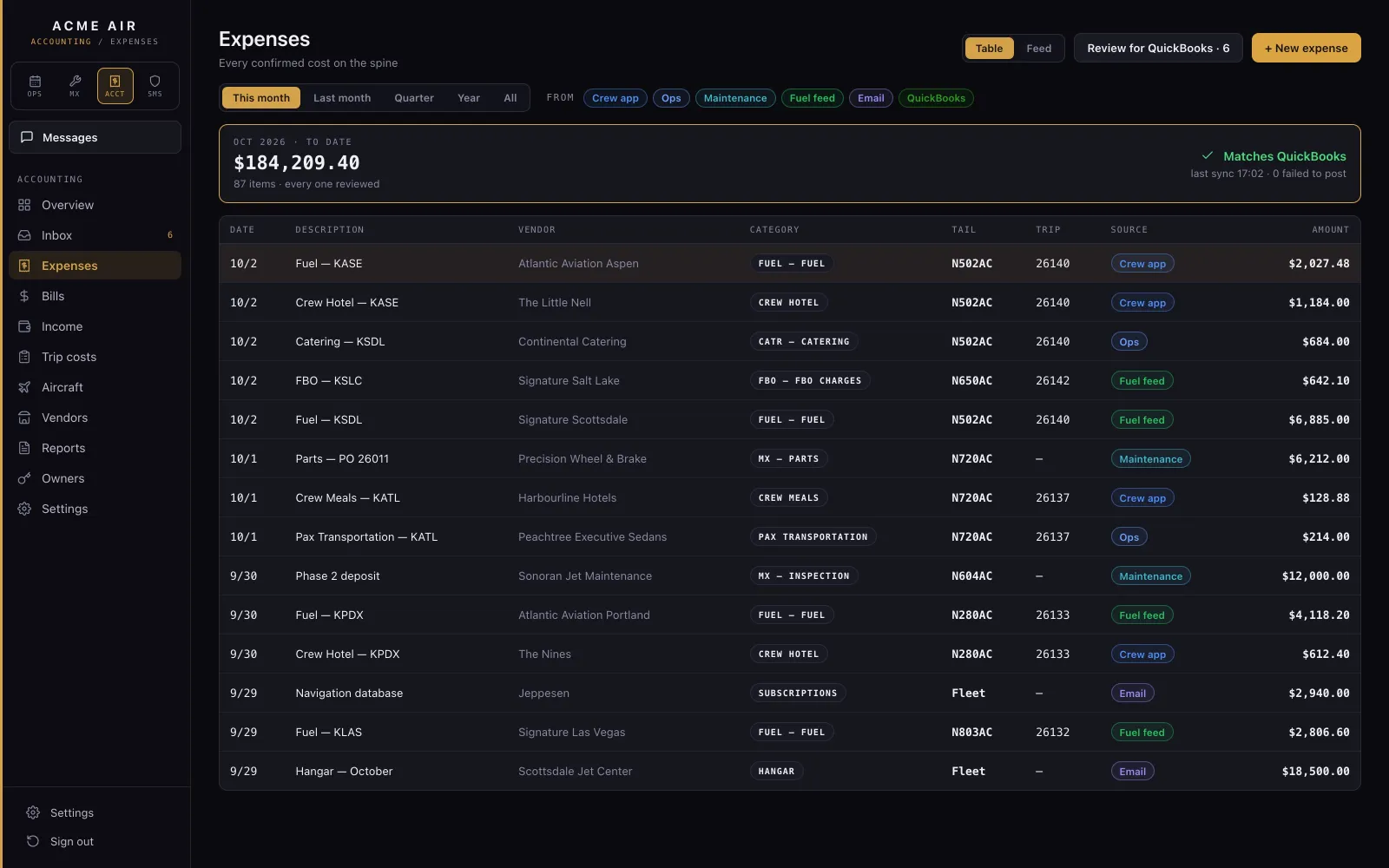
The expenses list with its filters and totals.
ExpensesEvery expense from every side in one list. The same receipt filed twice, or one already in QuickBooks, is caught.
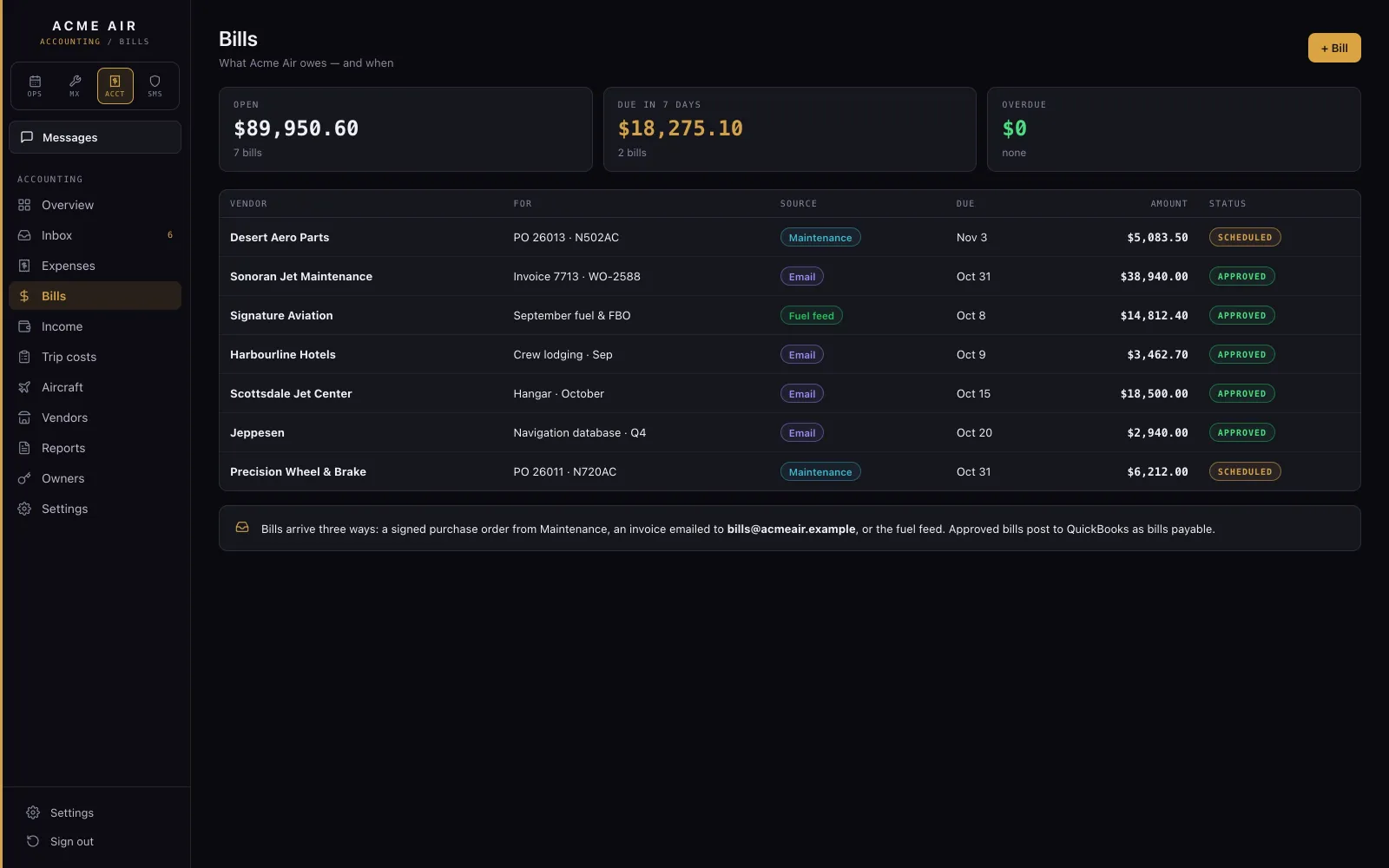
Bills: owed now, overdue and due soon.
BillsWhat's owed now, what's overdue and what's due in the next seven days, and what's owed to crew for their out-of-pocket costs.
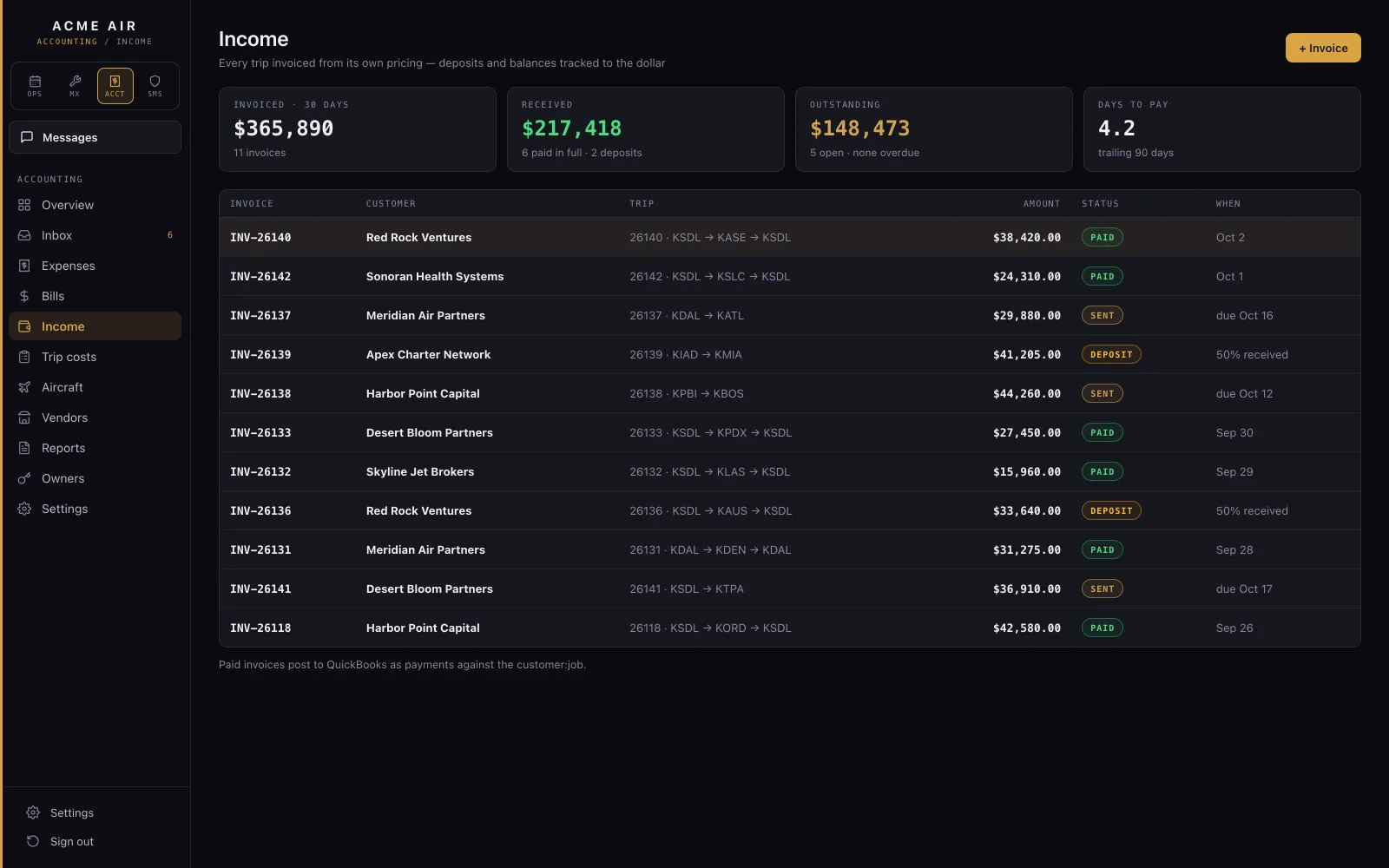
Income: invoices by trip with what has been received.
IncomeEach trip's invoice in QuickBooks, with receipts and deposits, and whether it is paid, partial or overdue.
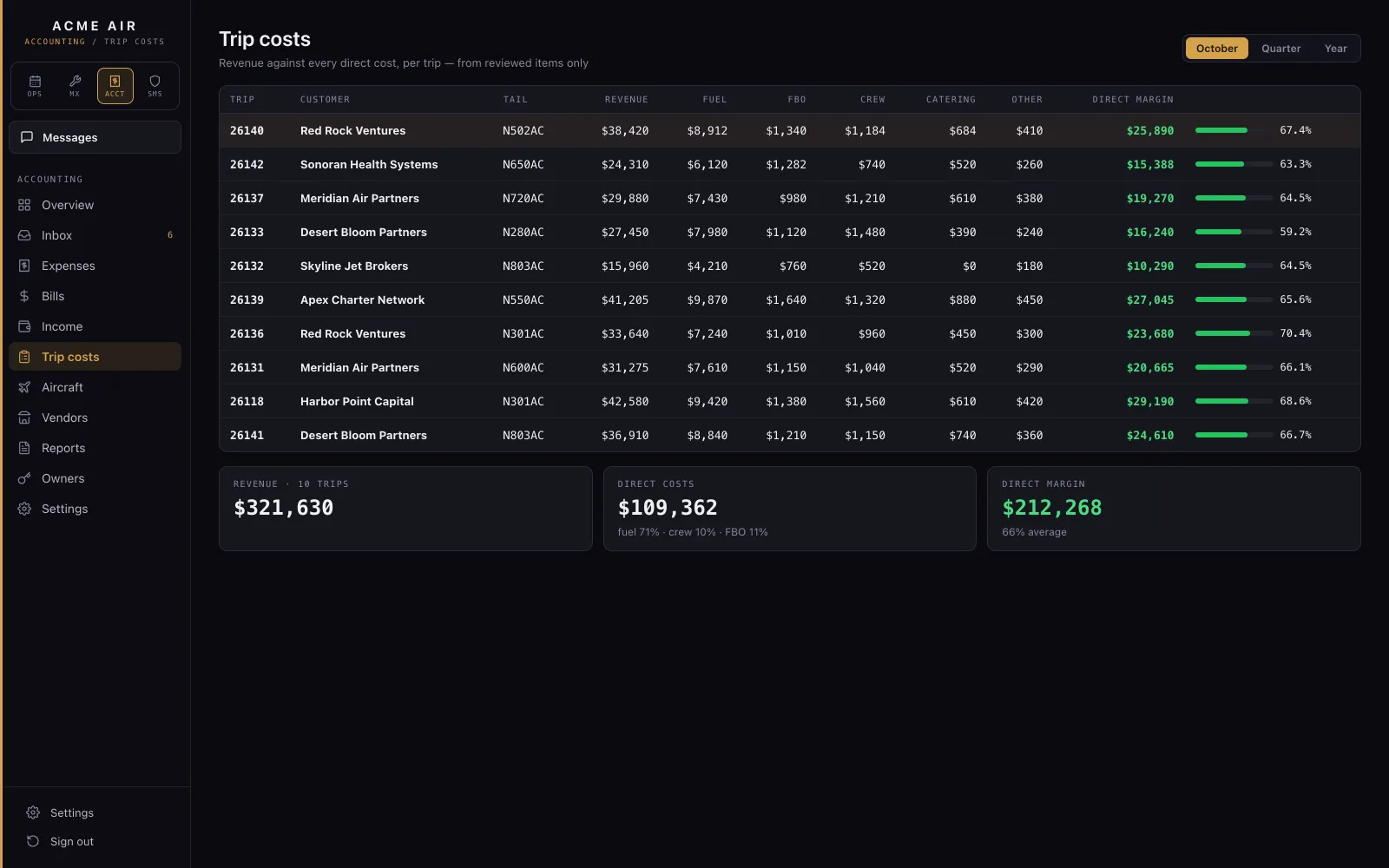
Trip costs: quoted, invoiced, received and margin for each trip.
Trip costsEvery trip's quoted, invoiced and received amounts, and its margin against the quote.
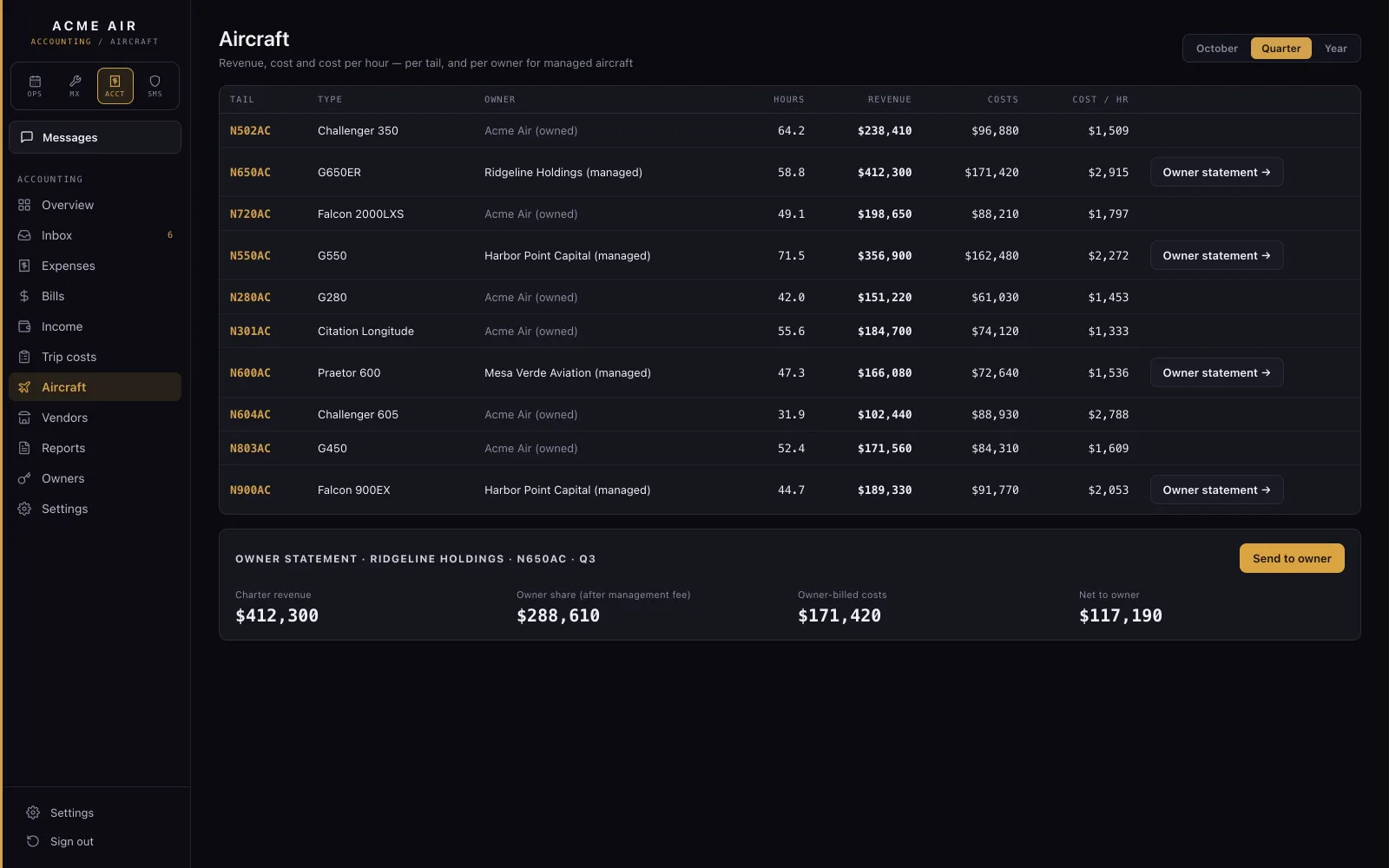
Revenue, cost and cost per hour per aircraft, with an owner statement for a managed aircraft.
AircraftRevenue, cost and cost per hour for each tail, and an owner statement for each managed aircraft.

05 / Safety (SMS)

A Part 5 SMS you actually run.

Reports, triage, risk before and after controls, corrective actions, lessons learned and safety meetings.
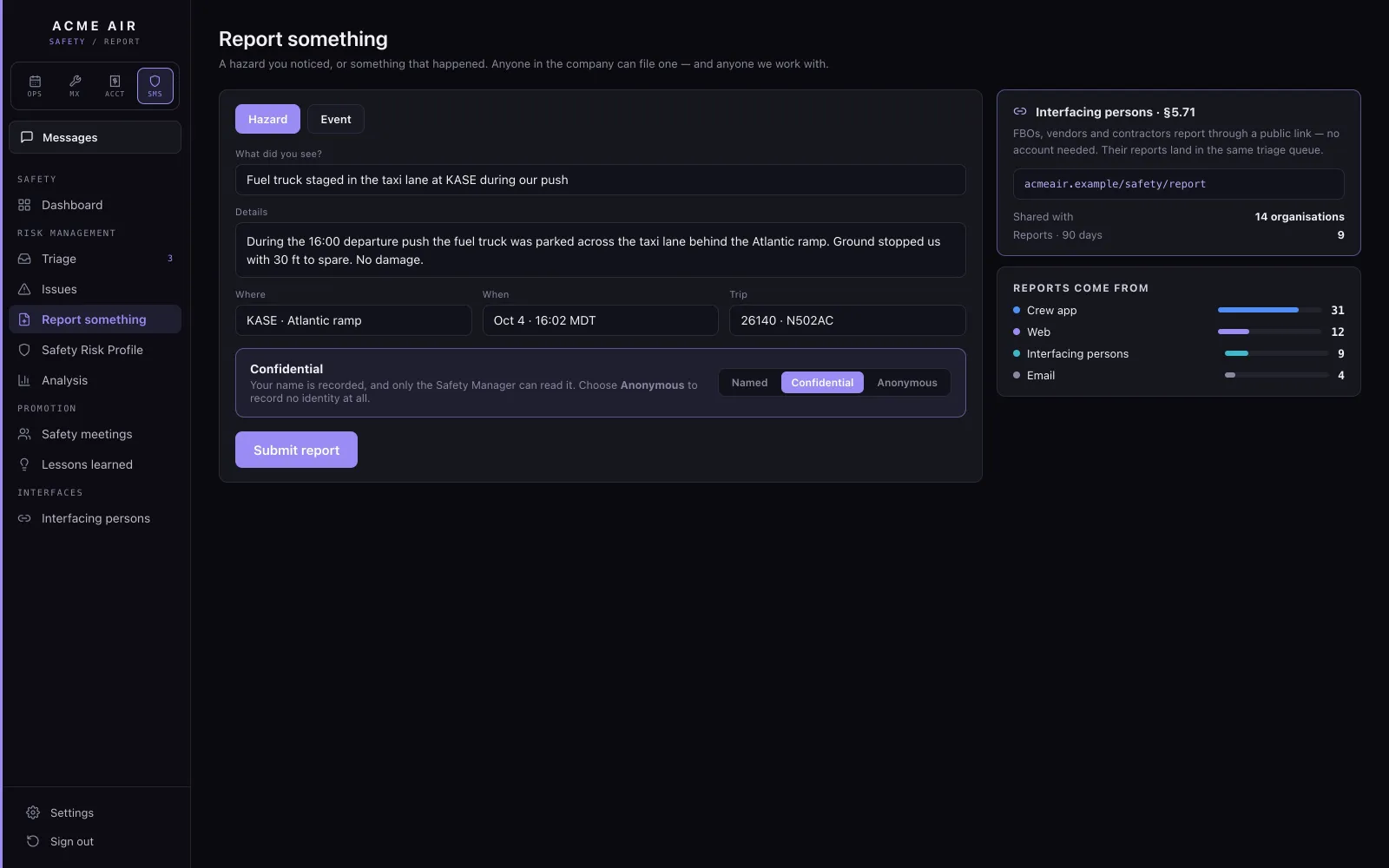
The report form: a hazard at Aspen, with the option to keep the reporter confidential.
ReportCrew, staff and outside parties can file a hazard or an event at any time, with or without a flight, and can keep their name confidential.
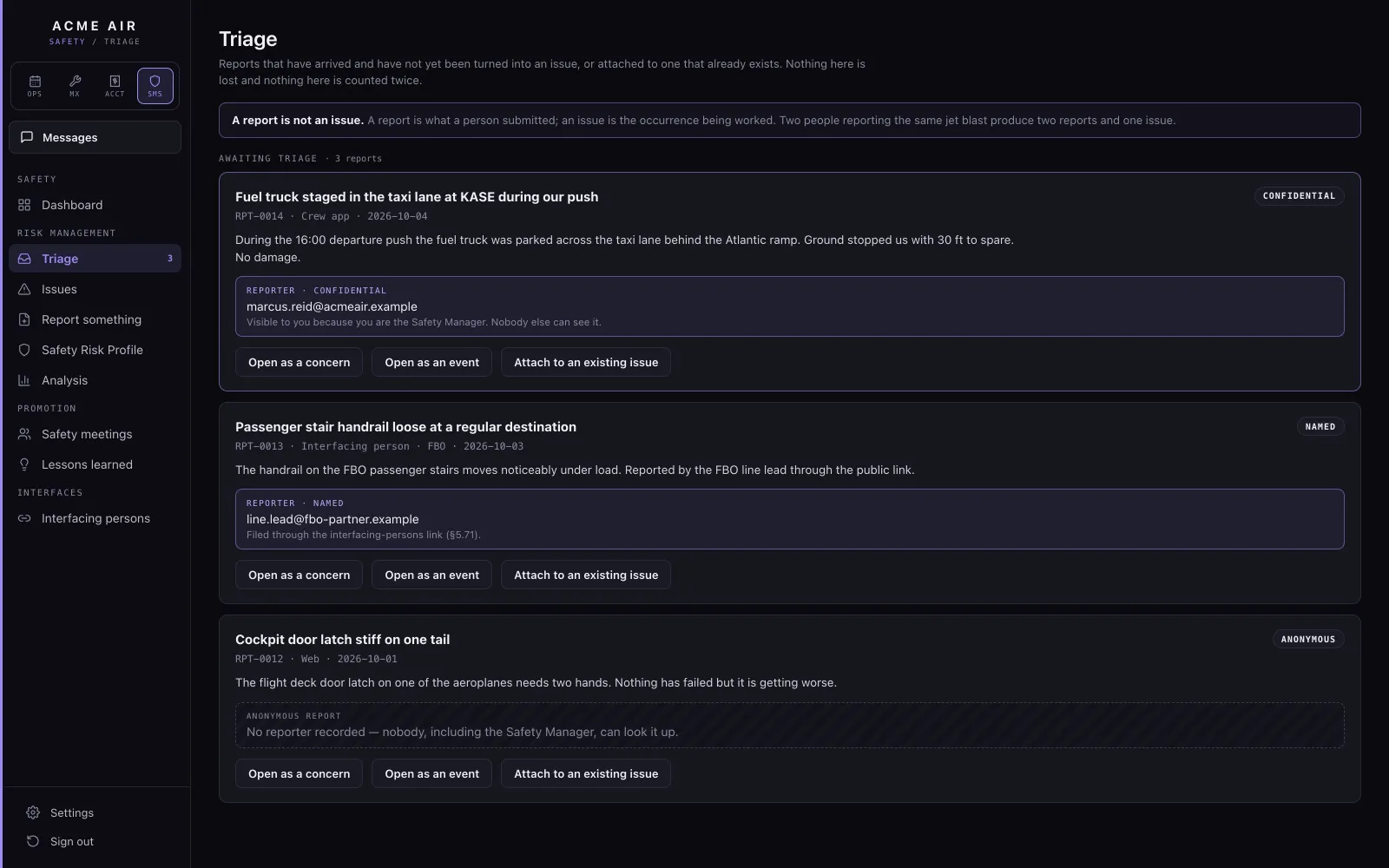
The triage queue of new reports.
TriageThe Safety Manager opens a new issue from each report or attaches it to one already open.
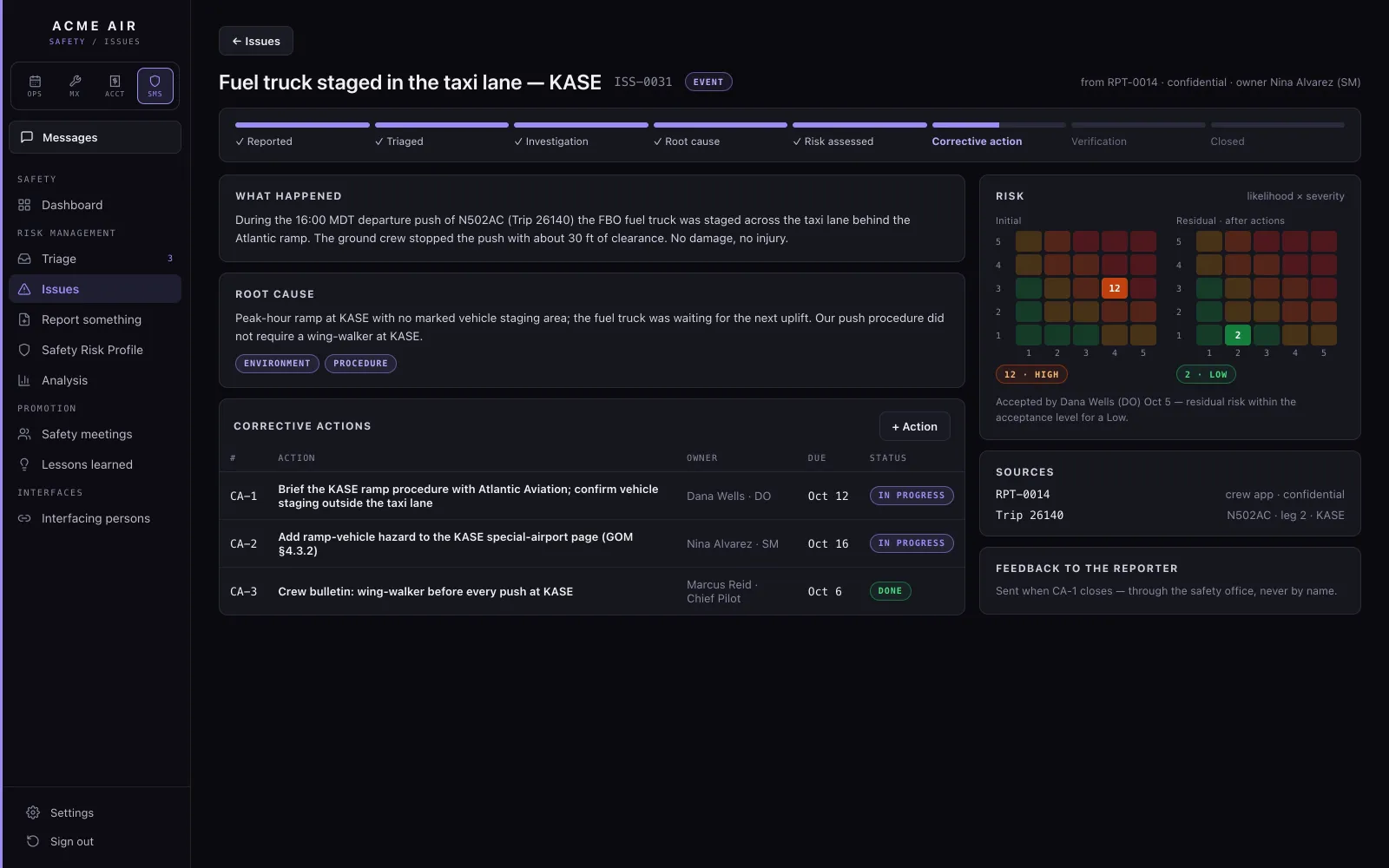
A safety issue with its risk matrix, initial and residual, and corrective actions.
IssueRisk is assessed per outcome, before and after controls, and the residual risk is accepted by a named person. Corrective actions get an owner and a due date, and the leg's whole record is one click away.
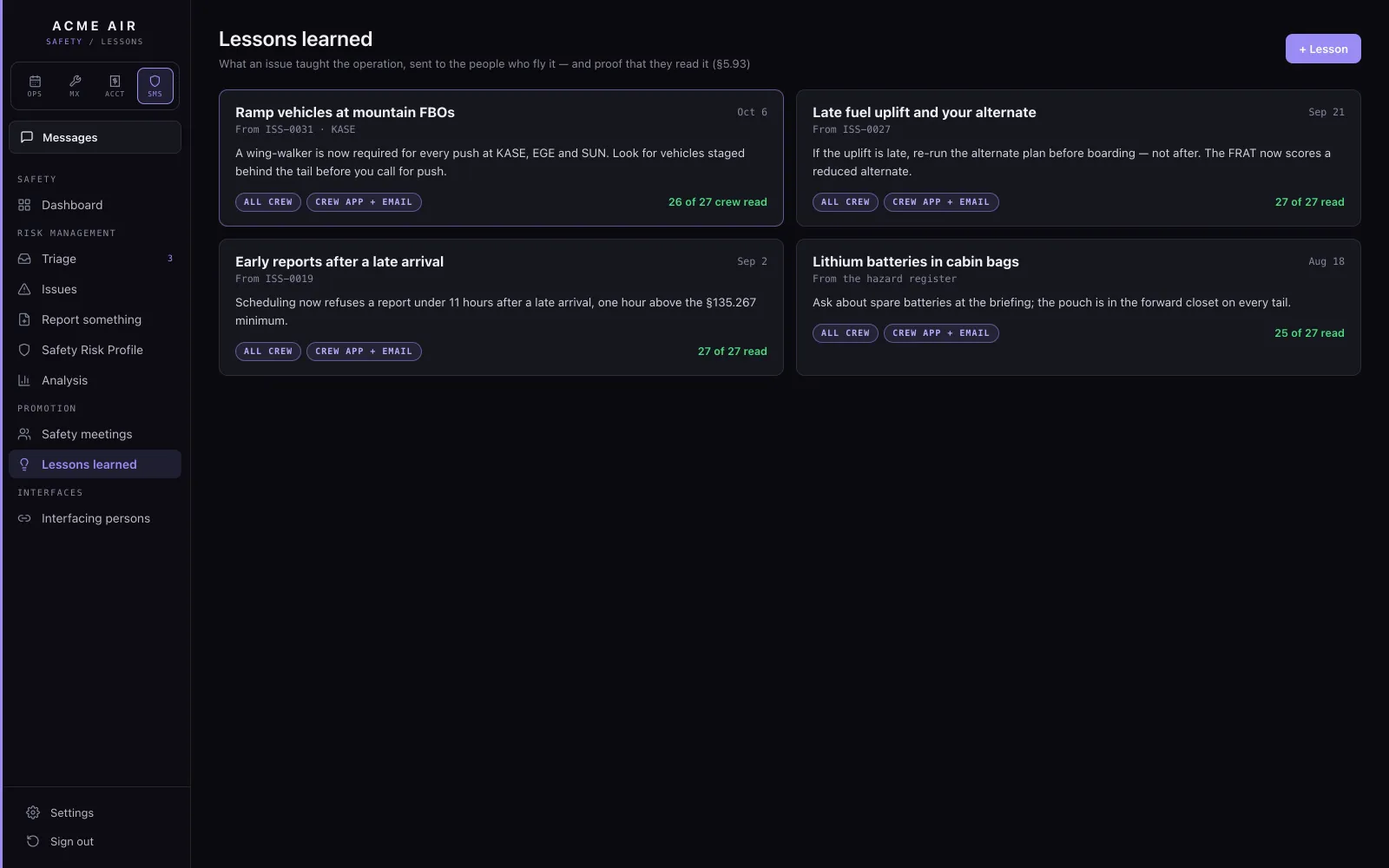
Lessons learned from closed issues.
Lessons learnedClosing an issue offers to write a lesson learned, and every lesson is kept for the whole operation to read.
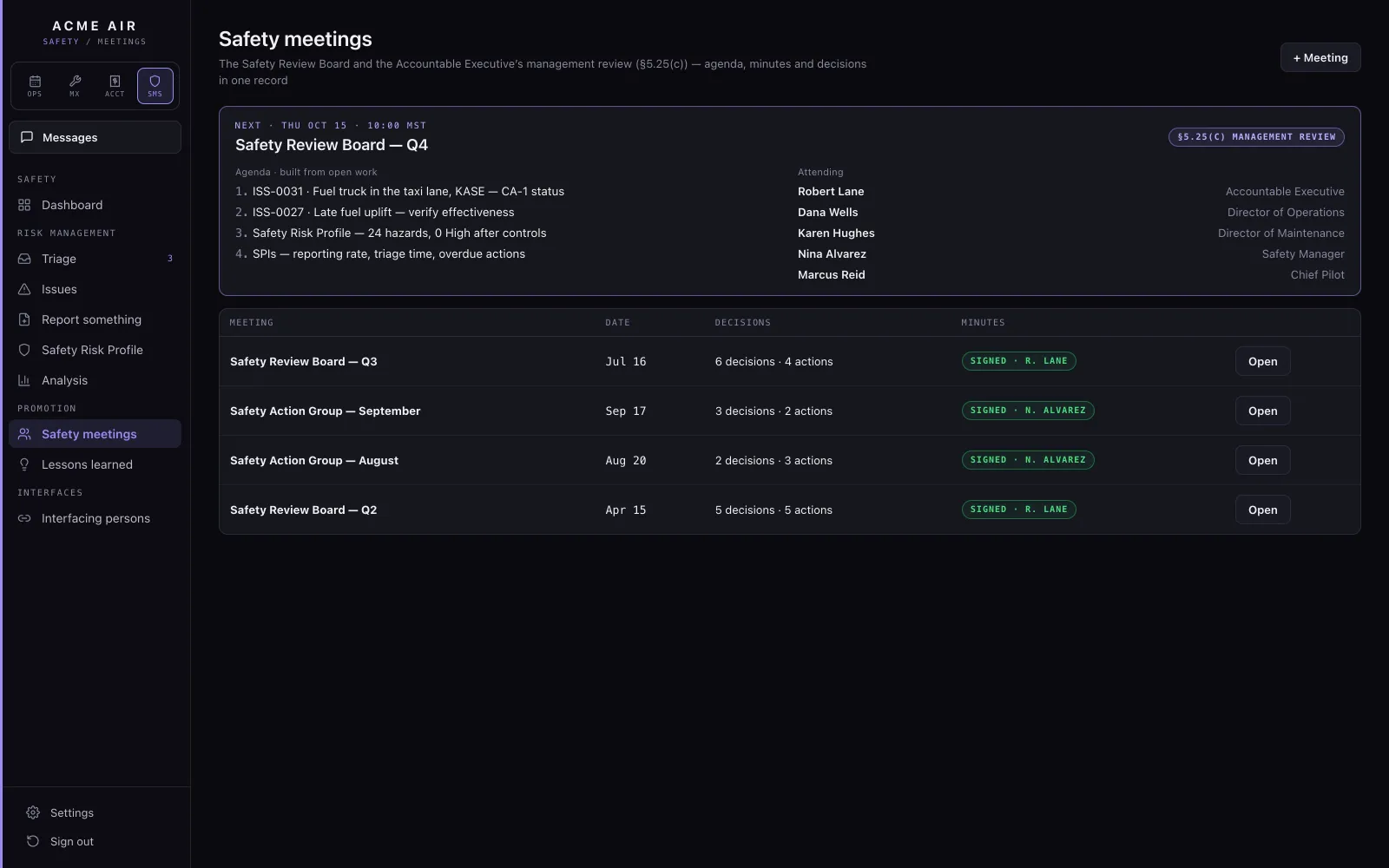
Safety meetings with their agendas and minutes.
Safety meetingsEach safety meeting builds its own agenda for the period and generates its minutes.

FAAPart 5 SMS · §5.71 · §5.93

06 / Operations Copilot

Ask your own manuals.

Crew and dispatch ask a question in plain English and get an answer from your GOM and your records, with the section and page it came from, so they can check it before they act on it.
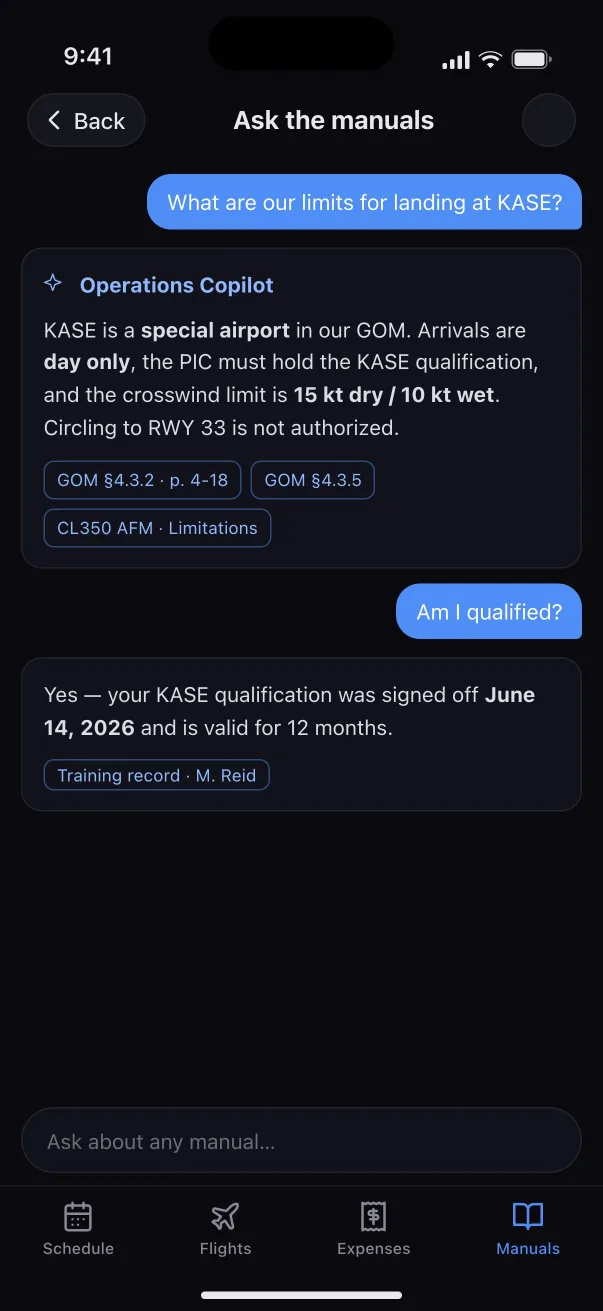
What are our limits for landing at KASE?
✦ Operations CopilotKASE is a special airport in our GOM. Arrivals are day only, the PIC must hold the KASE qualification, and the crosswind limit is 15 kt dry / 10 kt wet.GOM §4.3.2 · p. 4-18GOM §4.3.5
Asking the manuals on the phone: the limits for landing at Aspen, answered with GOM sections, then whether the pilot is qualified, answered from the training record.
Ask on the phone
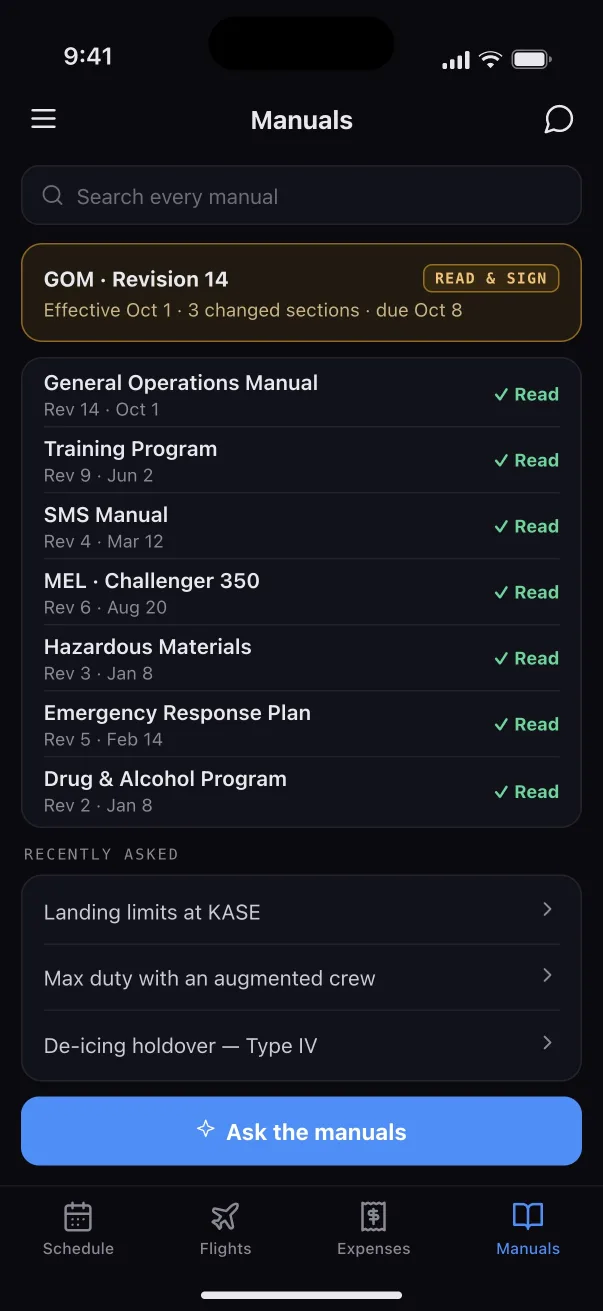
Manuals on the phone: a GOM revision to read and sign, and every manual marked read.
Revisions to read and sign

07 / The mobile app

Ops and maintenance, on the phone too.

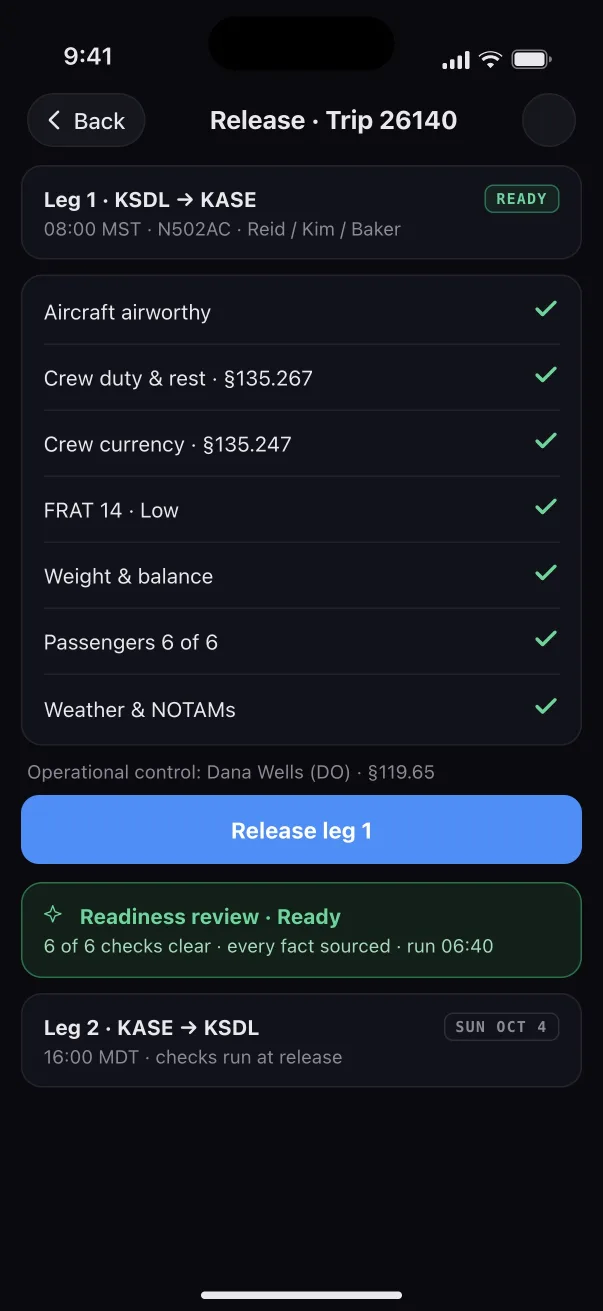
The same app opens to whatever the person does. Dispatch follows today's trips, sees the fleet and releases a leg from the phone; maintenance works the fleet's queue and signs a task on the spot.
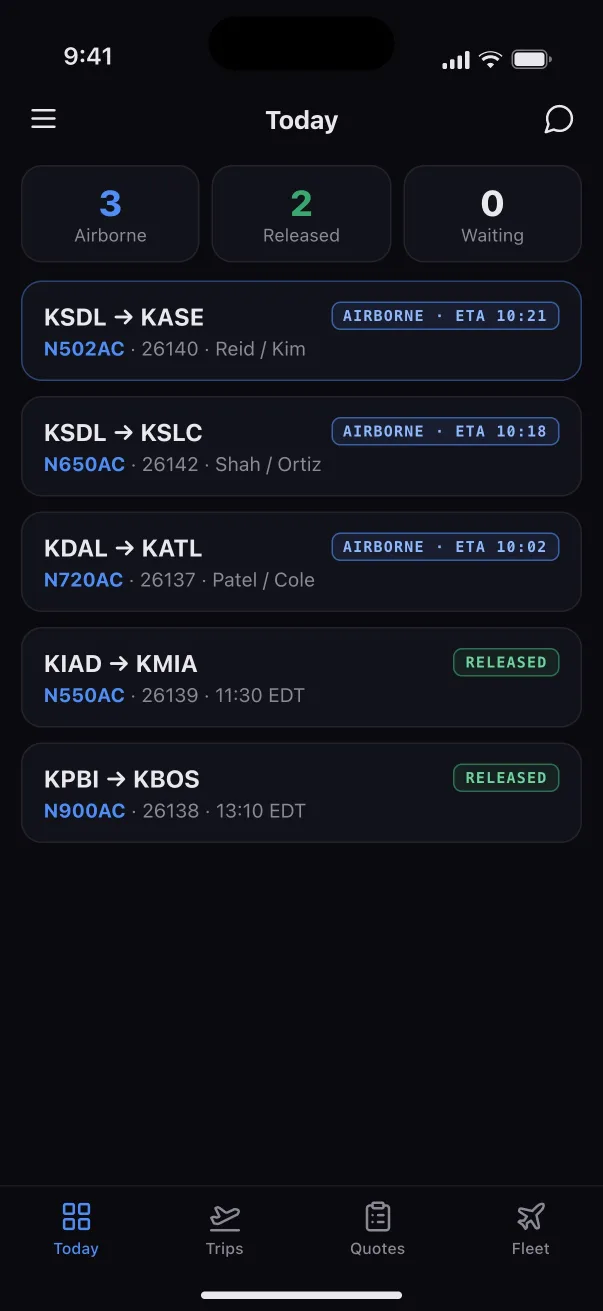
Ops app: today, with aircraft airborne, released and waiting.
Ops · Today
Ops app: releasing leg 1 with every check passed.
Ops · Release
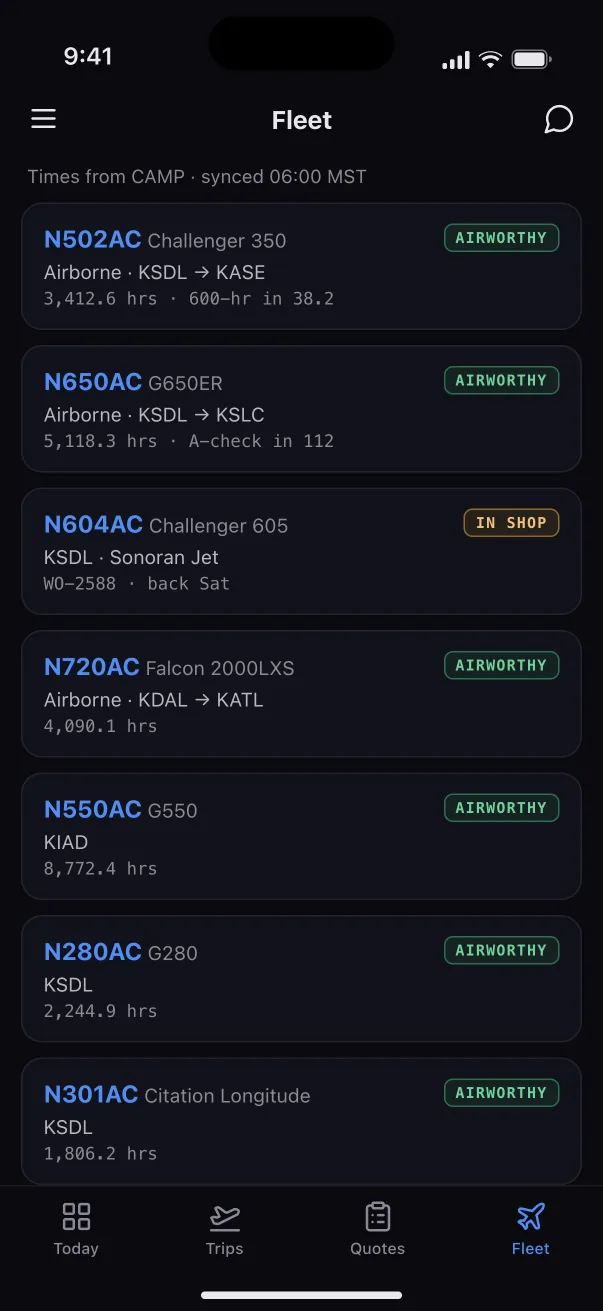
Ops app: the fleet, each tail with its status and hours.
Ops · Fleet
Maintenance app: the queue, with a grounded tail at the top.
Maintenance · Home
Maintenance app: signing a work order task on the phone.
Maintenance · Sign

Cleared for takeoff

See it run your own trips.

We'll walk your team through Altus Air on a trip like one of yours, from the quote to the closed ledger.

or write to dev@altusairtech.com

Altus Air

Shown with a fictional operator, Acme Air. No real passenger, crew or customer data.